After pressing the SAMPLE RECORD button, the following screen will appear:
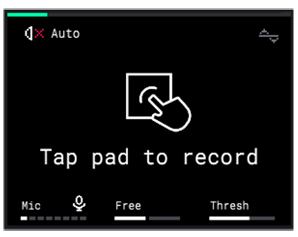
By default, the K2 knob (bottom-middle of the screen) is set to “Free”.
When set to Free, recording will continue until you manually tap the pad again to stop it, which means it can run longer than the sequence length.
If you would like the recording to stop automatically at the end of your sequence or loop, rotate the K2 knob clockwise and change the setting to “Seq”