
The MPC Live III is shipped with two internal drives which can be freely accessed on a computer in controller mode. This article will provide information on these drives, their names and what to expect on them.
TABLE OF CONTENTS
Formatting
Please do not format either drives as doing so may render the MPC unusable. Should you experience issues with either drives, please contact our support team directly at Support : Akai Professional
MPC Content (39.9GB)
This drive has a capacity of 39.9 GB and holds the factory content and plugin files
You should expect the following folders on the drive:
Demos
Expansions
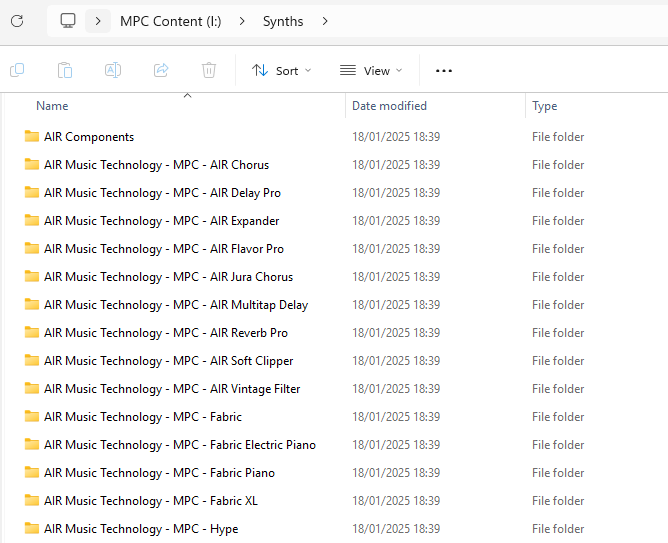
Synths
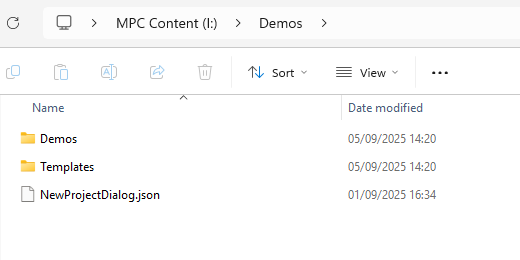
MPC Content > Demos folder contains the following folders/files:
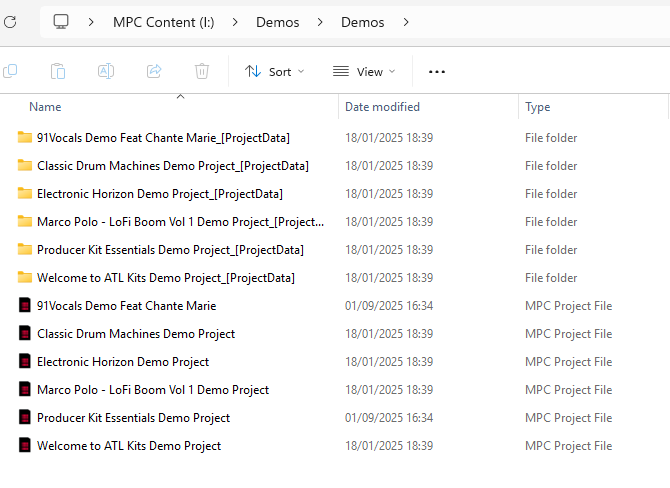
MPC Content > Demos > Demos folder contains the factory demos:
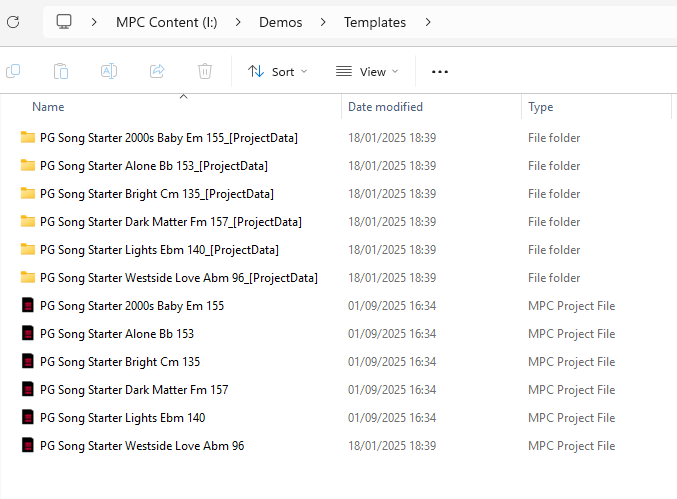
MPC Content > Demos > Templates folder contains the factory templates:
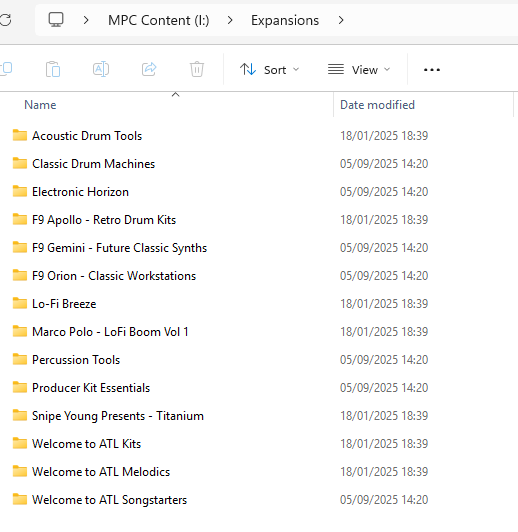
If you have unintentionally removed the factory expansions - you can redownload them following the steps at MPC Live III | Installing the Included Expansion Packs
MPC User (79.2 GB)
This drive has a capacity of 79.2 GB and holds MPC system files. This drive will appear as 'Internal' or 'User' on the MPC in standalone mode.
You should expect the following folders on the drive:
Features
MPC Documents
Splice
You may also add an Expansions folder on this drive if you'd like to store additional expansions. If you wish to do this, please see the steps here: MPC Live III | Installing the Included Expansion Packs
Related Articles
Akai Pro MPC Live III | Included Sound Content : Akai Professional
Akai Pro MPC Live III | Frequently Asked Questions : Akai Professional