If you are experiencing Modulation or a "Wobble" sound after pressing a pad or key, it is likely due to the Aftertouch MIDI Settings found in Track Edit.
Aftertouch is a MIDI control that is intentionally mapped to modulation effects, such as pitch LFO, vibrato, or filter movement, to add expression while playing.
If you would like to deactivate Aftertouch for your plugin, go to Menu > Track Edit, then press the > button in the bottom-right corner and select MIDI Settings.
Deactivate the LFOs by tapping on them, then set the Pitch Depth to Zero.
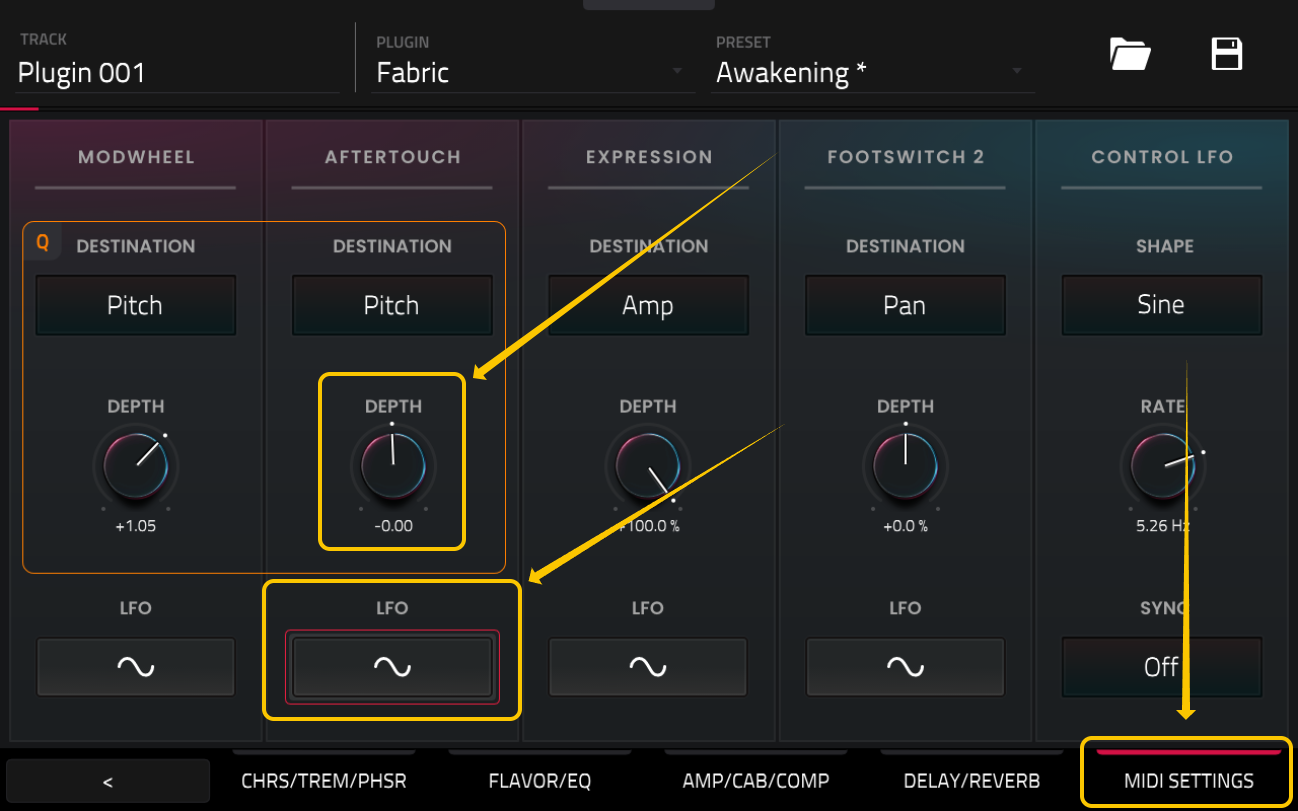
Now, when you press a key or pad, the wobble sound will no longer occur.