The contents of this article cover the included sound content on the MPC Live III. This is helpful to ensure you are aware of the included content and how to locate and use them.
Plugin Instruments Paid plugins, included with the MPC Live III:
OPX-4
Organ
Stage Piano
Stage EP
Fabric Collection
Fabric Select
Studio Strings
Gen 1 plugins:
Bassline
Electric
Drumsynth Multi
Hype
Mellotron
Odyssey
Solina
TubeSynth
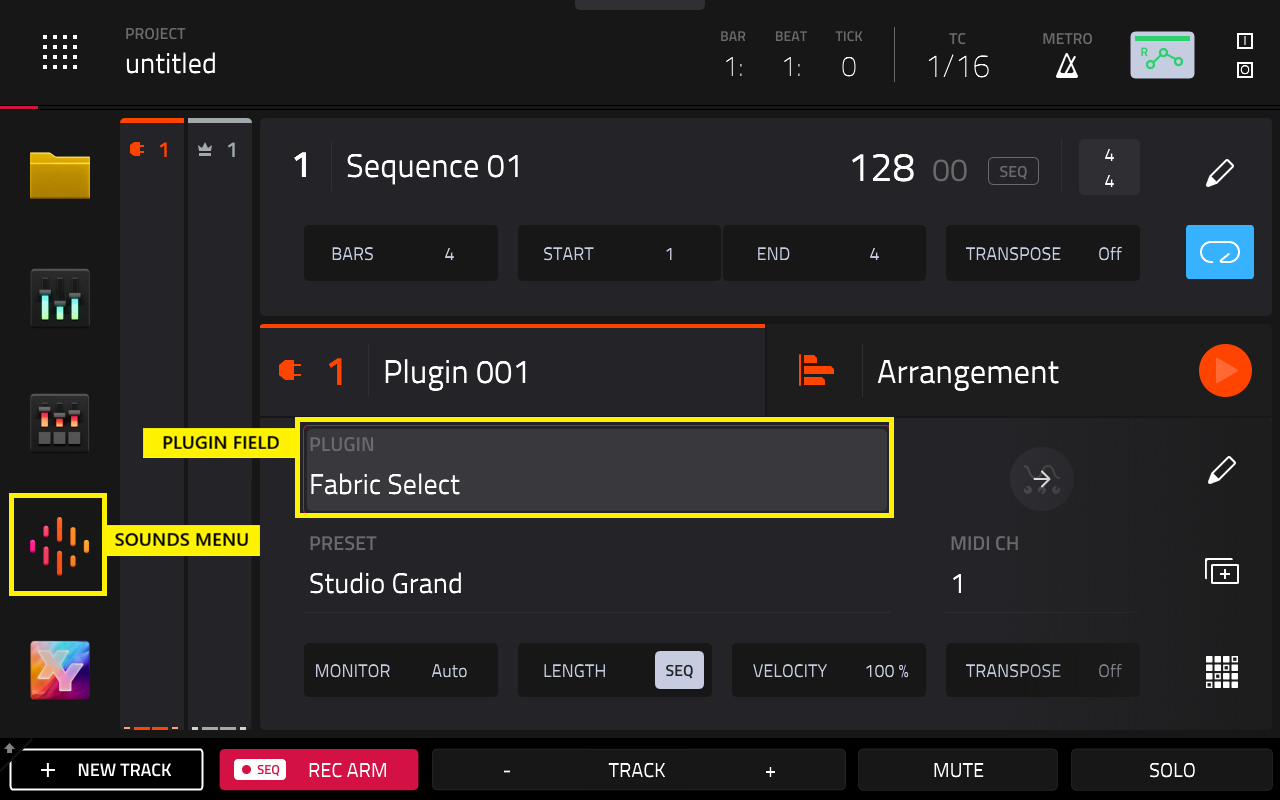
Note: The included plugins require no activation on the MPC Live III in Standalone Mode,and will be available in the Plugin Filed and Sounds Menu when you load a plugin track.
Plugin FX
Paid plugin FX, included with the MPC Live III:
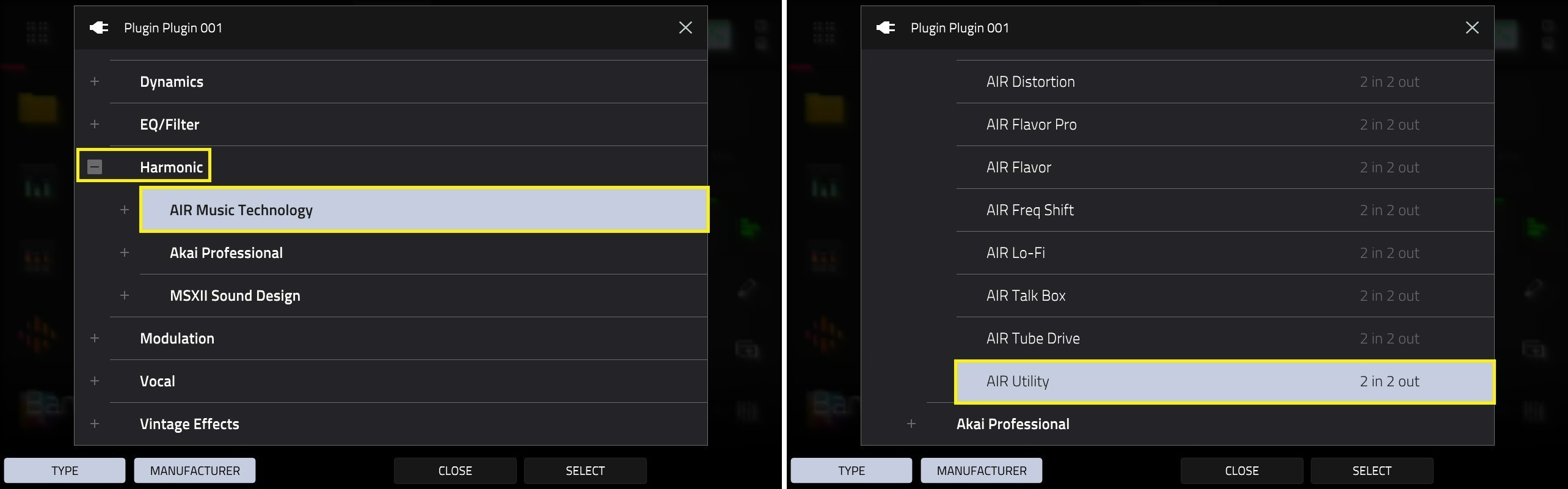
AIR Music Technology - MPC - AIR Utility
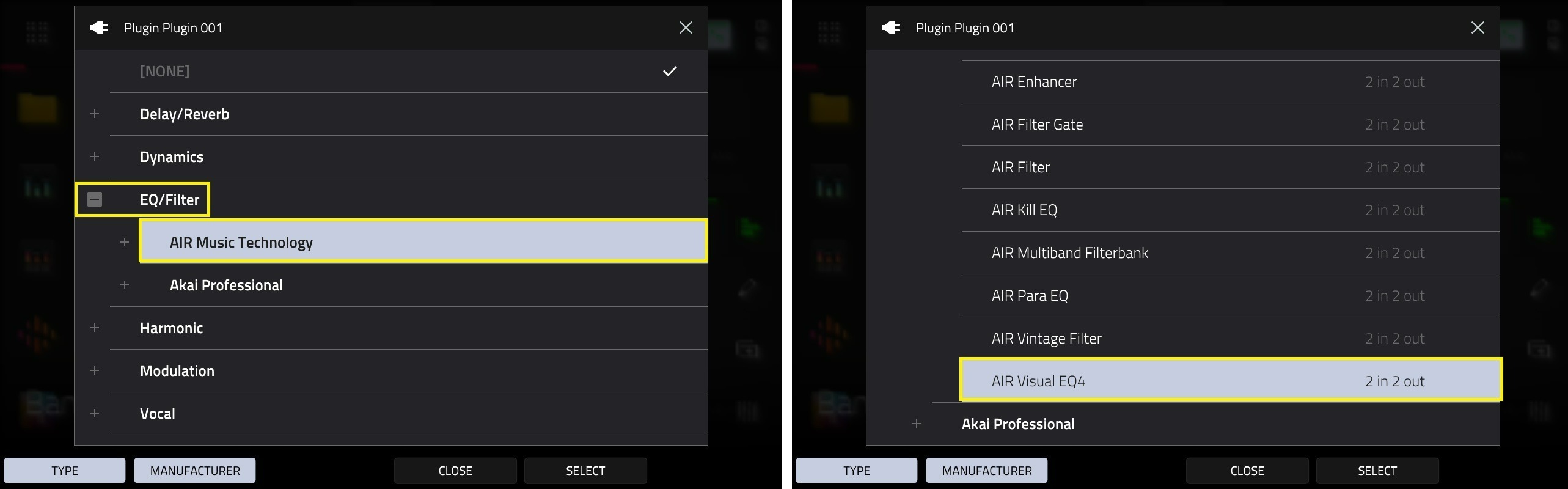
AIR Music Technology - MPC - AIR Visual EQ4
AIR Music Technology - MPC - AIR Chorus
AIR Music Technology - MPC - AIR Multitap Delay
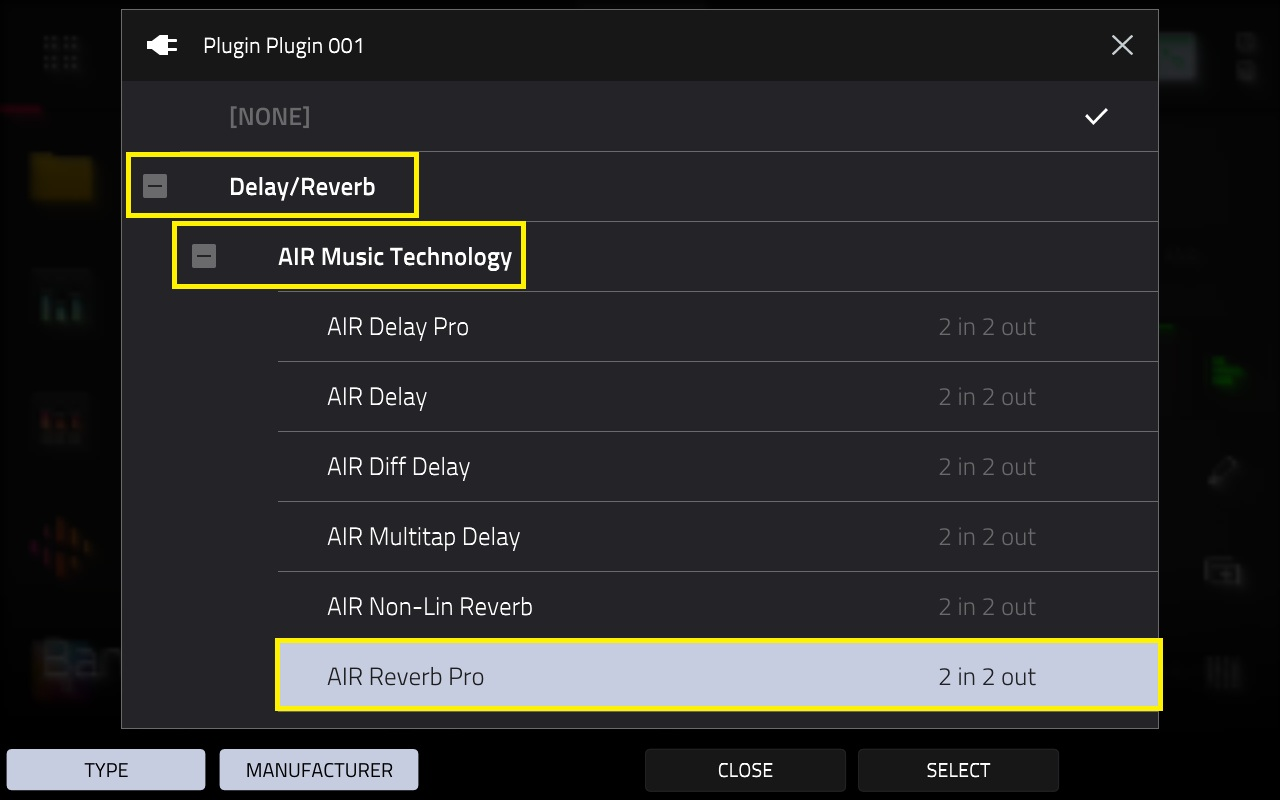
AIR Music Technology - MPC - AIR Reverb Pro
AIR Music Technology - MPC - AIR Vintage Filter
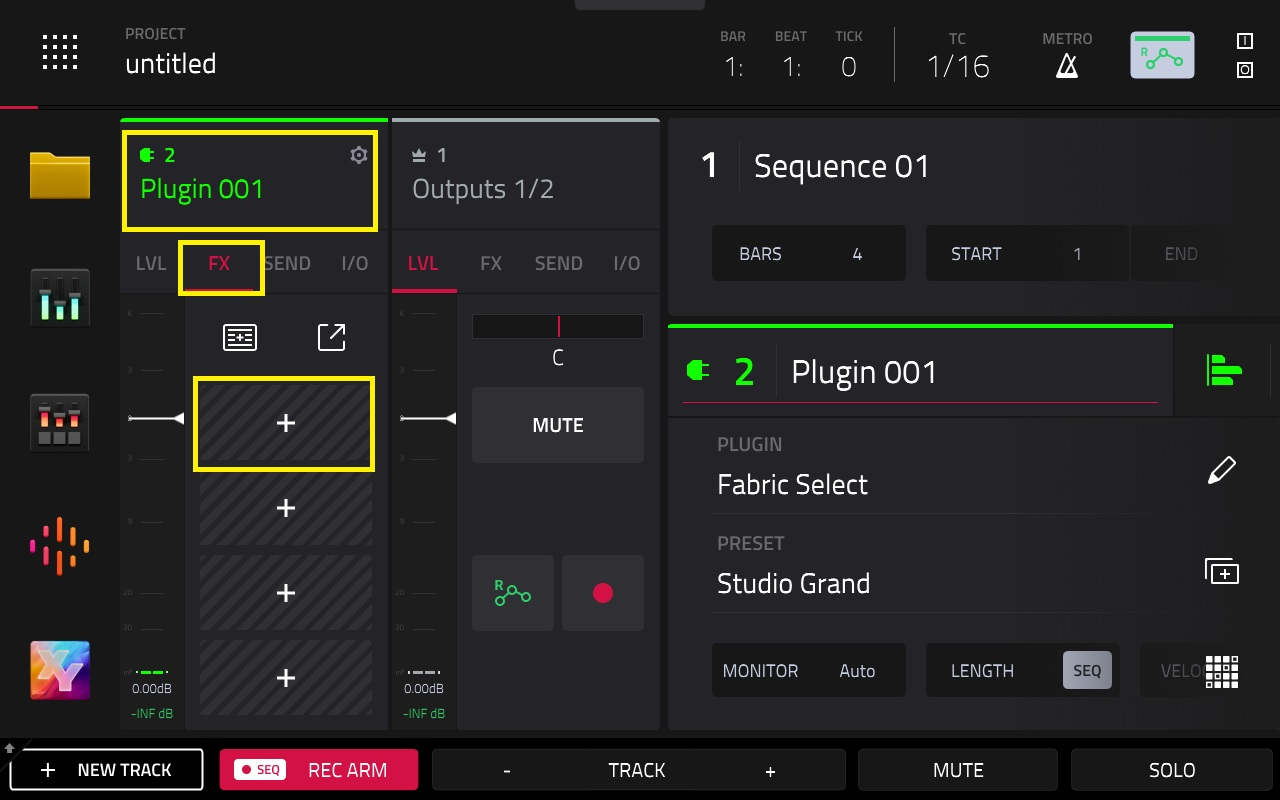
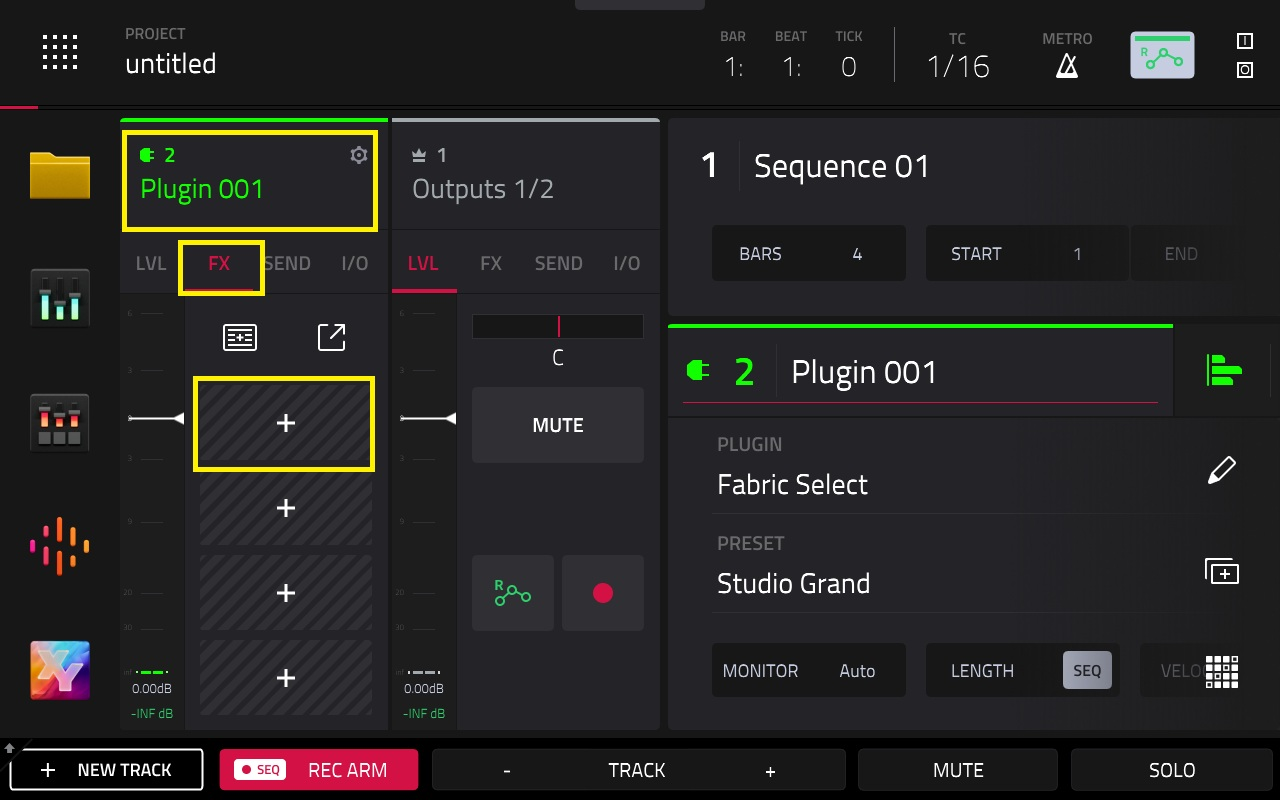
Note: To use the included FX, you'll need to open up the FX inset slot on a track, then tap the + icon
Gen 1 plugin FX
Delay/Reverb: AIR Delay, AIR Diff Delay, AIR Multitap Delay, AIR Non-Lin Reverb, AIR Reverb Pro, AIR Reverb, AIR Spring Reverb, Delay Analog Sync, Delay Analog, Delay HP, Delay LP, Delay Mono Sync, Delay Mono, Delay Multi-Tap, Delay Ping Pong, Delay Stereo, Delay Sync (Stereo), Delay Tape Sync, Reverb In Gate, Reverb Large 2, Reverb Large, Reverb Medium, Reverb Out Gate, Reverb Small, Sample Delay
Dynamics: AIR Channel Strip, AIR Compressor, AIR Limiter, AIR Maximizer, AIR Noise Gate, AIR Pumper, AIR Transient, Bus Compressor, Compressor Opto, Compressor VCA, Compressor Vintage, Mother Ducker Input, Mother Ducker, Transient Shaper
EQ/Filter: AIR Enhancer, AIR Filter Gate, AIR Filter, AIR Kill EQ, AIR Para EQ, AIR Vintage Filter, AIR Visual EQ4, HP Filter Sweep, HP Filter Sync, HP Filter, HP Shelving Filter, LP Filter Sweep, LP Filter Sync, LP Filter, LP Shelving Filter, PEQ 2-Band, 2-Shelf, PEQ 4-Band.
Harmonic: AIR Amp Sim, AIR Diode Clip, AIR Distortion, AIR Flavor, AIR Freq Shift, AIR Lo-Fi, AIR Talk Box, AIR Tube Drive, AIR Utility, Decimator, Distortion Amp, Distortion Custom, Distortion Fuzz, Distortion Grimey, Distortion Overdrive, Frequency Shifter, Granulator, Resampler, TouchFX, XYFX.
Modulation: AIR Chorus, AIR Ensemble, AIR Flanger, AIR Fuzz-Wah, AIR Half Speed, AIR Multi-Chorus, AIR Phaser, AIR Pitch Shifter, AIR Stereo Width, AIR Stutter, Auto Wah, Autopan Sync, Autopan, Chorus 2-Voice, Chorus 4 Voice, Flanger Sync, Flanger, Phaser 1, Phaser 2, Phaser Sync, Tremolo Sync, Tremolo.
Vocal: AIR Vocal Doubler, AIR Vocal Harmonizer, AIR Vocal Tuner.
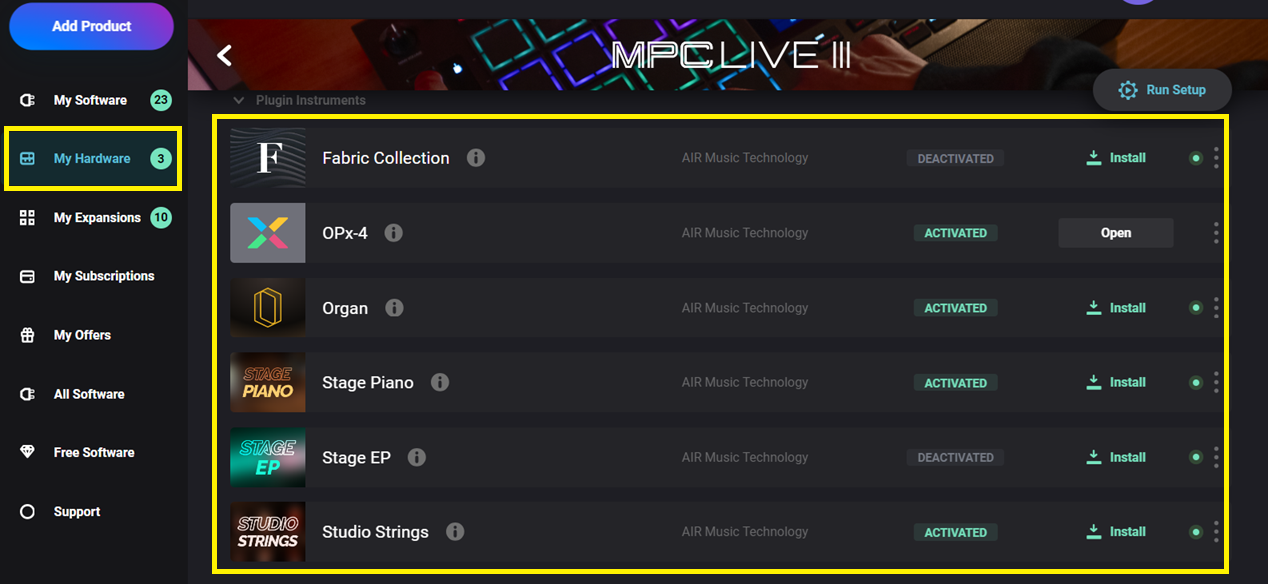
Go to the My Hardware tab, and select your MPC Live III
You will find the included plugins available to download and install:
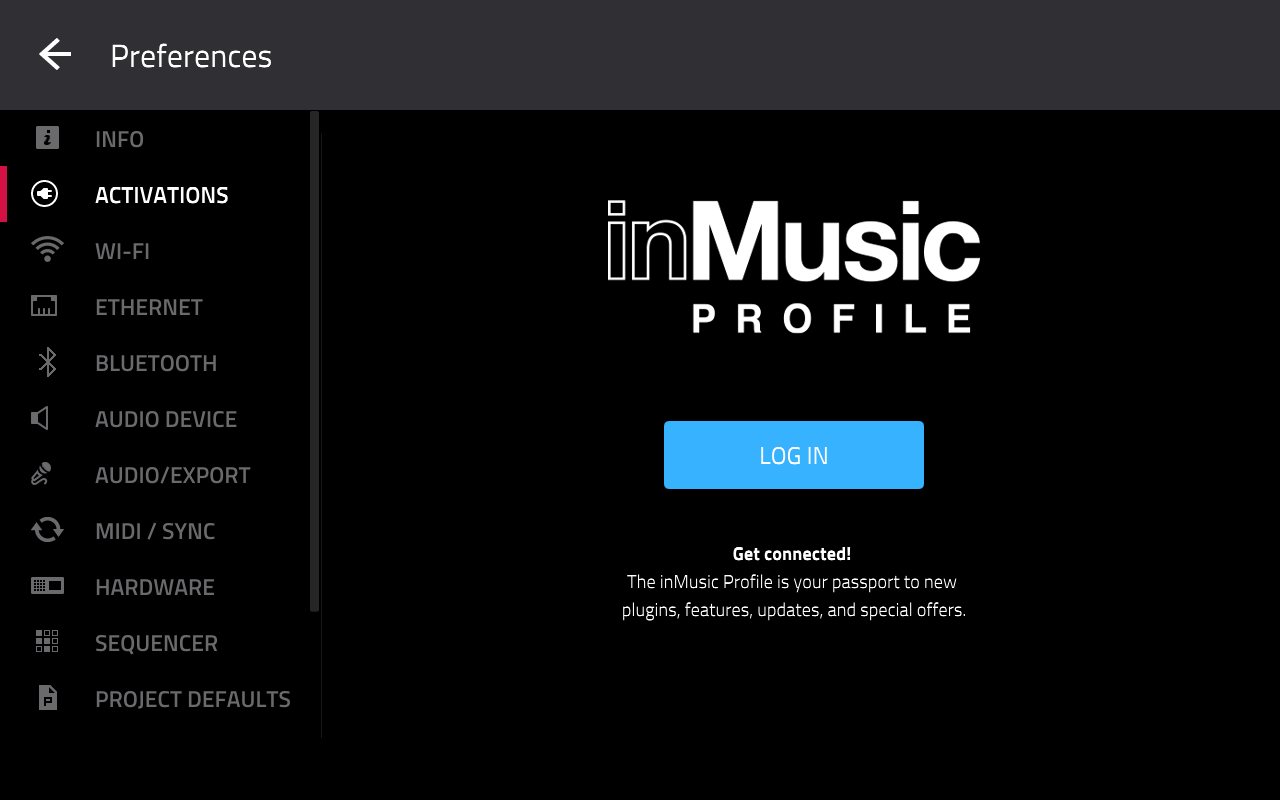
Note: If you find that you are unable to activate the plugins, please check that you have logged into your inMusic Profile on your MPC in standalone mode.
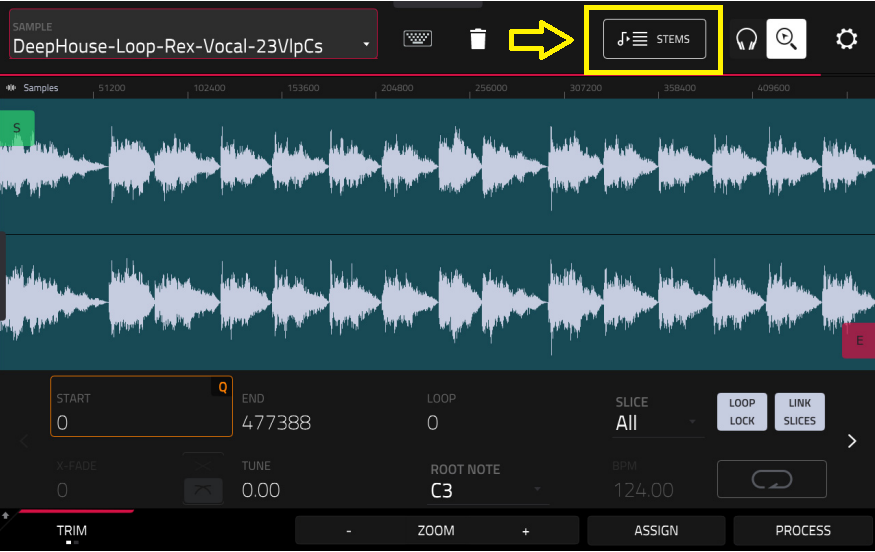
Stems
Stems is built into the MPC Live III's operating system, and will not appear in the activations menu. Please go to Sample Edit mode, you will find stems there to use.
Pro Features
Pro features are built into the MPC Live III's operating system, and will not appear in the activations menu.
Important: Please ensure you have logged in to your inMusic Profile on the MPC Live III itself to redeem the licence
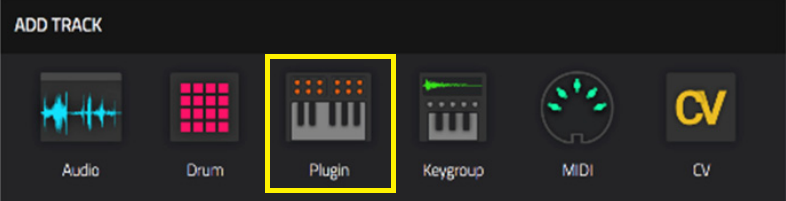
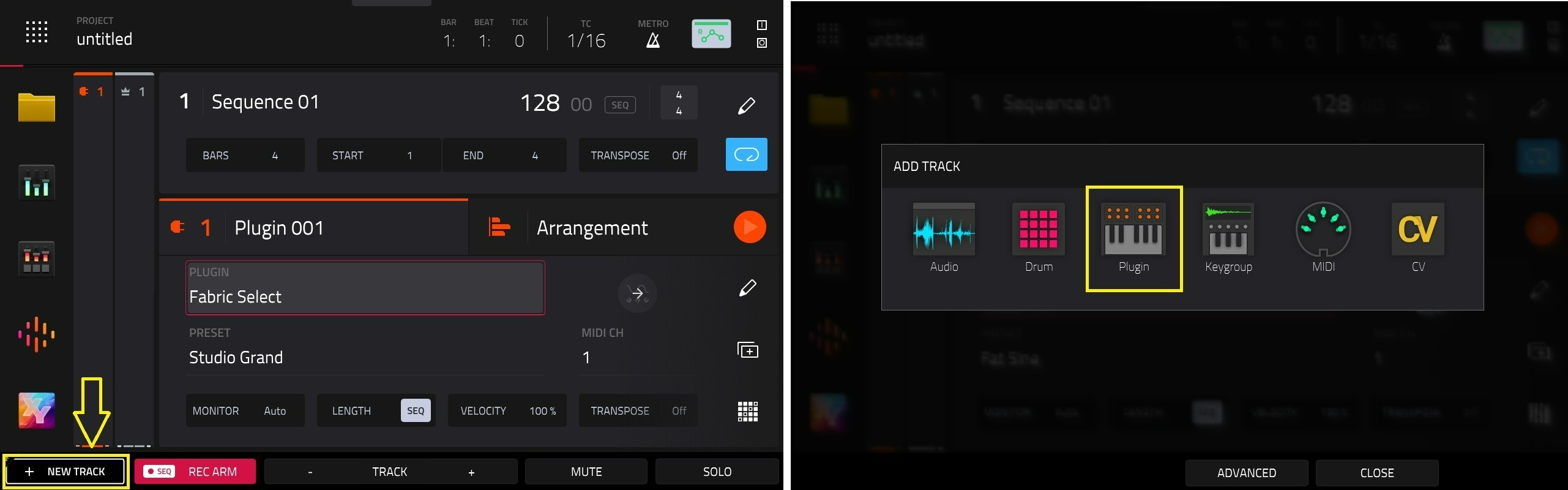
Fabric Select: To use this plugin, please create a new plugin track
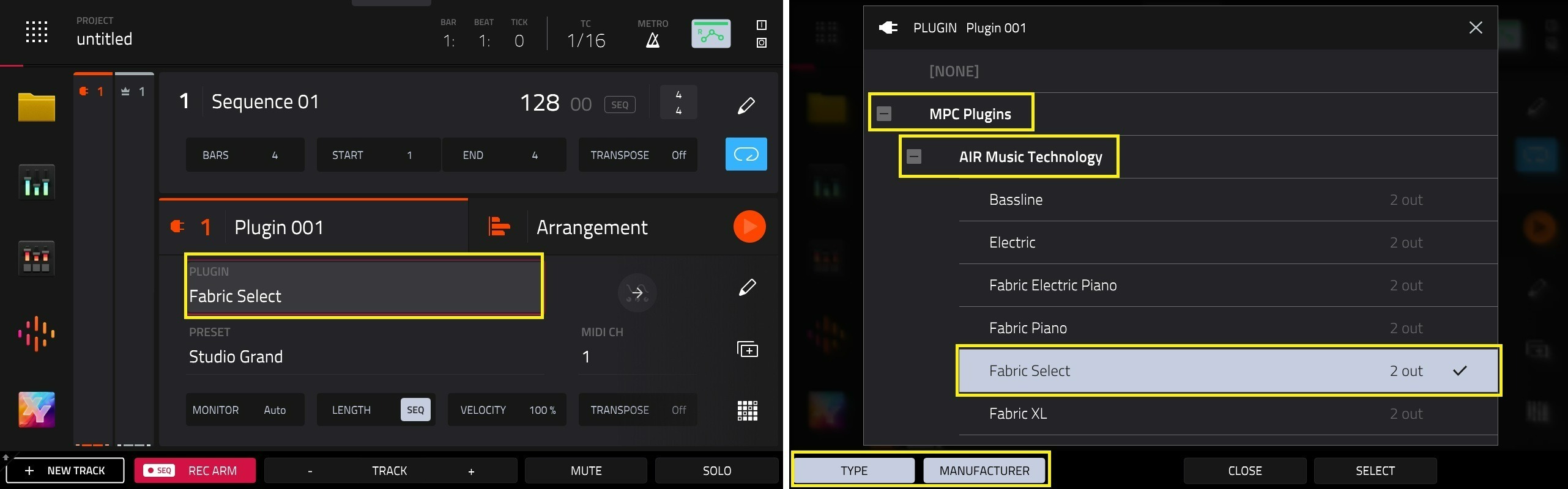
You can locate Fabric Select in the Plugin Field via MPC Plugins > AIR Music Technology
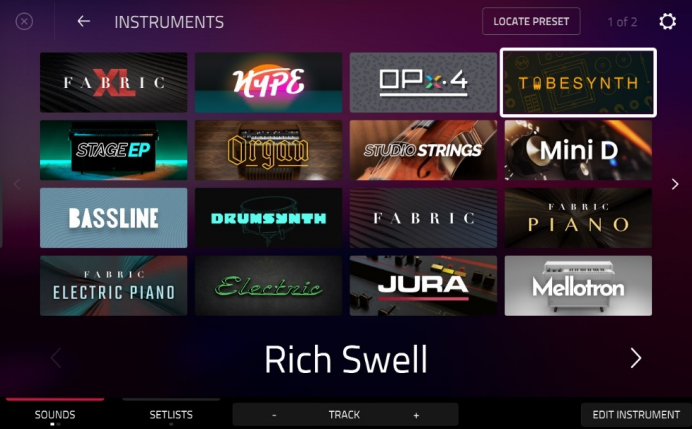
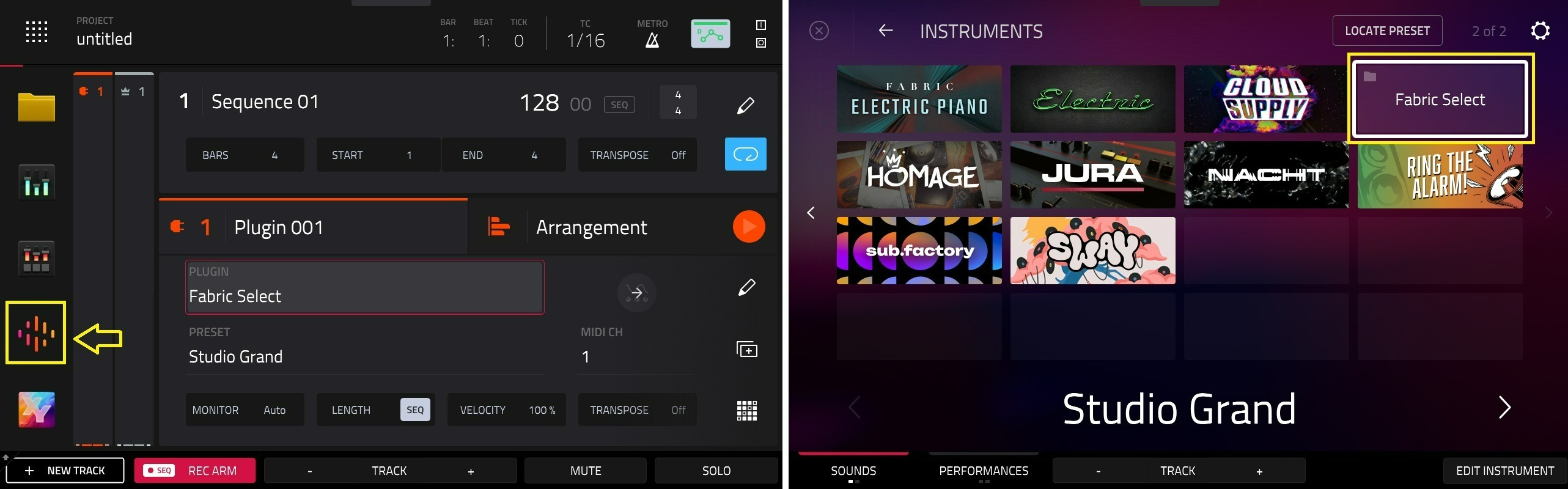
Alternatively, you can find Fabric Select in the Sounds menu:
If you do not see it immediately, please use the > arrow to reveal the second page
FX: To use the included FX, you'll need to open up the FX inset slot on a track, then tap the + icon
AIR Visual EQ: Will be in EQ/Filter > AIR Music Technology
AIR Reverb Pro: Will be in Delay/Reverb> AIR Music Technology
AIR Utility: Will be in Harmonic > AIR Music Technology
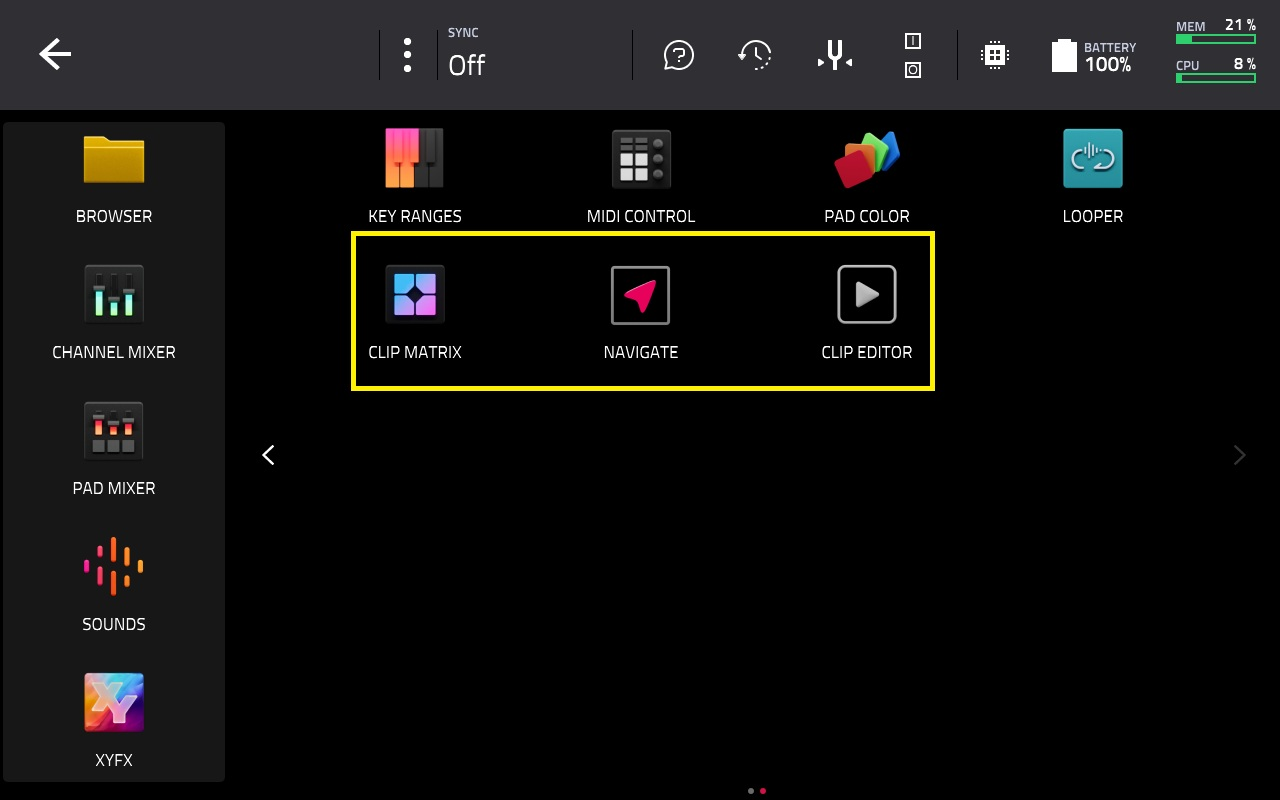
Clip Workflow features are found in the Main Menu:
Super Warp Algorithm, Advanced Q-Links & Advanced CV: Please refer to the below video tutorials for more information on how to use/see these features: