TABLE OF CONTENTS
- MPC One G2 - Frequently Asked Questions
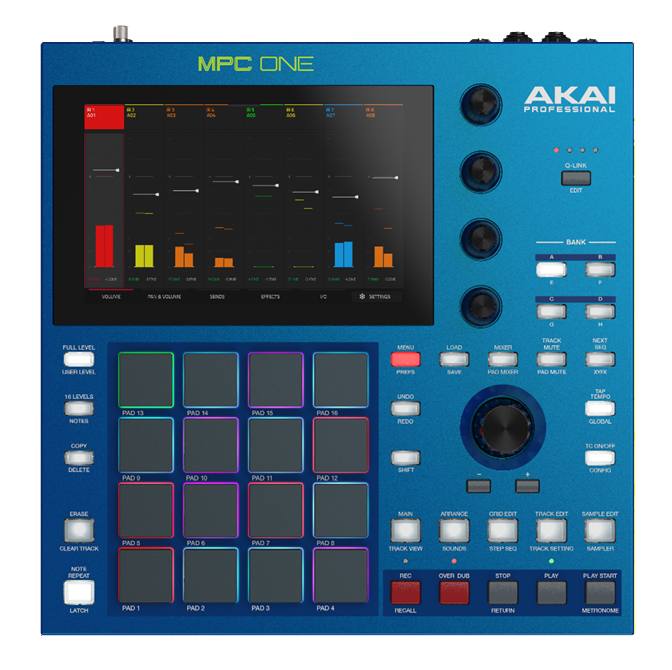
- What's the difference between the MPC One+ and the MPC One G2?
- What are the new features from the MPC One Plus?
- What more is possible with the new processor?
- What operating systems will the MPC One G2 be supported on?
- Will I have to update my MPC One G2 firmware on Day 1?
- How do I update my firmware?
- Are Pro Stems compatible with the MPC One G2?
- How big is the display? Is it a touch screen?
- Is the MPC One G2 equipped with USB-C?
- USB Device or host via USB C
- Is Ableton Live Control Mode supported on the G2?
- How much storage space is available? What is the size of the internal hard drive?
- Is it possible for me to increase storage capacity?
- Can I move content directly to the Internal Drive?
- Does the MPC One G2 G2 come with MPC Software version 3.9?
- Is the MPC One+ Discontinued?
- Does this function with MPC 2?
- Will the MPC One G2 support MPC 2 Projects?
- Will the MPC One G2 support legacy file types?
- Do the Spitfire Audio x Akai Pro collaboration plugins work?
- Can I import my Ableton Live Projects?
- Connections:
- Audio-Interface
- How do I install the MPC One G2 Audio Driver?
- How many multiple outputs am I able to send out?
- How can I send multiple outputs from my MPC One G2 to my DAW?
- How can I sample directly from my computer or phone to the MPC One G2?
- How many Input and Outputs can you use with an Audio Interface?
- How many MIDI channels are available through USB-C?
- What is Bi-directional MIDI?
- How Many Instances of Instrument Plugins can the MPC One G2 Support in Standalone Mode?
- Does the MPC One G2 support sample rates over 44.1kHz when using a class compliant audio interface?
- Factory Content
- How can I send a bug report to Akai?
MPC One G2 - Frequently Asked Questions
What's the difference between the MPC One+ and the MPC One G2?
 | 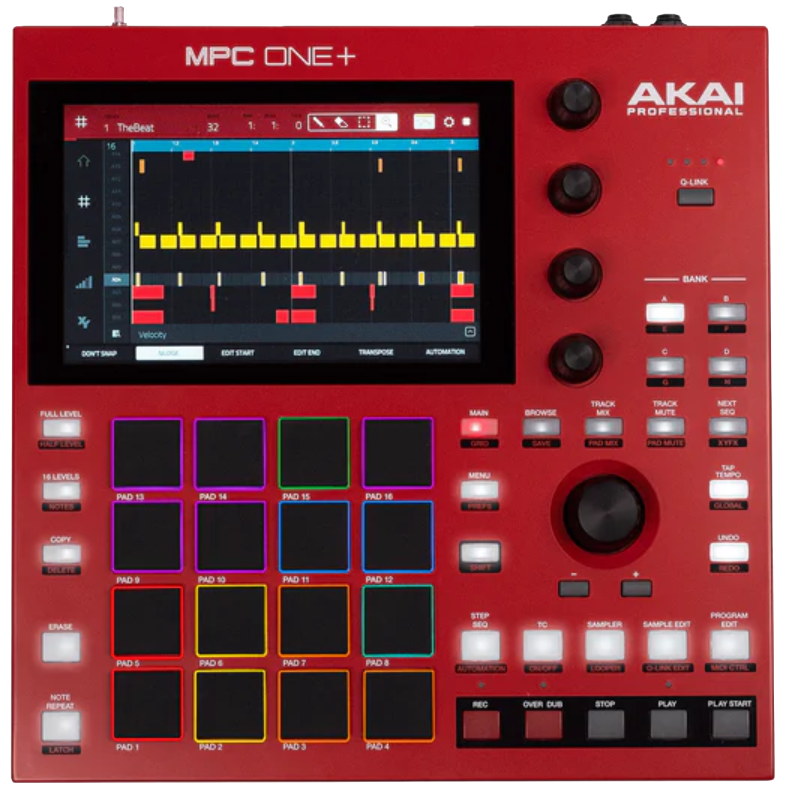 | 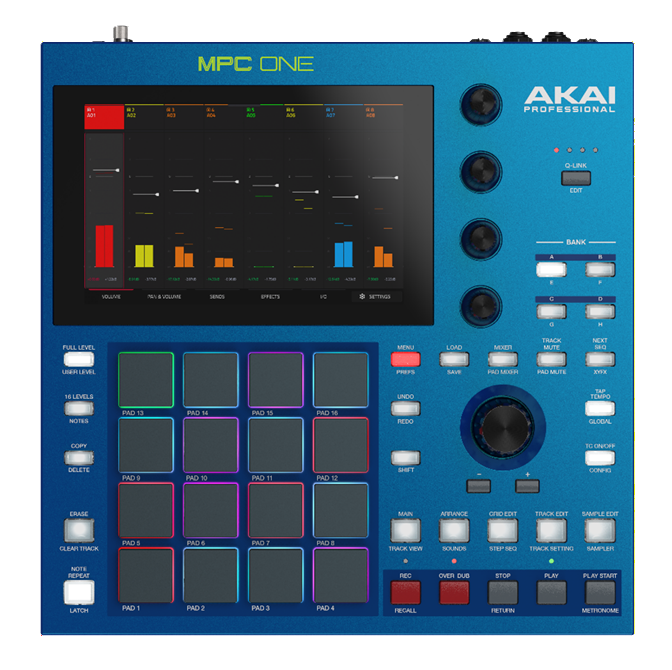 |
Feature | MPC One Plus | MPC One G2 |
| Size | 10.7” x 10.7” x 2.1” / 272 x 272 x 53 mm (width x depth x height) | 10.7” x 10.7” x 2.1” / 272 x 272 x 53 mm (width x depth x height |
| Weight | 4.7 lbs / 2.1 kg | 4.7 lbs. / 2.1 kg |
| RAM | 2GB | 4GB |
| Storage | 16GB | 64GB |
| CPU | MCS I | G2 8-core CPU |
| USB Audio Tracks | 0 | 24 in/out |
| USB MIDI Ports | 0 | 2 |
| Maximum Voices | 64 | 256 |
| Maximum Audio Tracks | 8 Stereo | 16 Stereo |
What are the new features from the MPC One Plus?
- G2 Multicore Processor - 4x The Power of MPC X
- Upgrades the “engine” and makes it more future-proof
- Faster project loading
- USB-C connectivity
- 4GB RAM, 64GB SSD internal storage
- Available Stems Pro desktop-class stems algorithm
- Available High-end real-time time stretch
- Expanded USB audio functionality
- Ships with MPC3
- Import and Export Ableton projects
What more is possible with the new processor?
The MPC One G2 is an update to the popular MPC One. It features an all-new internal hardware which is equal to 4x the power of the currently available MPC One. This new motherboard opens up exciting new possibilities never before available on a Standalone device. With the new processor, the following is possible:
- Up to 16 stereo audio tracks
- Up to 32 plugin programs
- 64GB Increased internal storage, and 4GB of RAM.
- USB C with 24x24 channels of USB Audio I/O to the computer in standalone mode.
- Available High-quality time stretching using Super in Standalone
- Available High-end stems separation.
- Internal drive access via USB in controller mode.
What operating systems will the MPC One G2 be supported on?
- Windows 10
- Windows 11
- macOS 14 Sonoma
- macOS 15 Sequoia
- macOS 26 Tahoe
Note: This will necessitate the installation of the MPC One G2 audio driver in order to function as an Audio Interface, operate in Controller Mode, or to access the MPC One G2 Internal Drive, as well as to detect any attached flash drive or SATA drive for convenient file transfer.
Will I have to update my MPC One G2 firmware on Day 1?
Yes, the MPC One G2 will receive a Day 1 Firmware update.
Note: If you have any issues with connecting to Wi-Fi such as failure to recognize password, please use the desktop firmware installer, or a USB drive.
How do I update my firmware?
You can accomplish this through WI-FI on your MPC One G2 by navigating to MENU > PREFERENCES > INFO > UPDATE > ONLINE UPDATE.
Are Pro Stems compatible with the MPC One G2?
Yes, the Pro Stems are compatible with the MPC One G2, which features our new G2 8-core CPU.
Note: Stems Separation is sold separately.
How big is the display? Is it a touch screen?
The MPC One G2 boasts a 7" HD full-color, multi-touch display designed for navigating and managing the internal software. This implies that it is not only touch-responsive but also capable of recognizing multi-touch gestures such as pinching to zoom in/out and double-tapping for advanced settings.
Is the MPC One G2 equipped with USB-C?
Absolutely! The MPC One G2 includes a USB-C cable. This cable can be used for sampling directly from your computer or phone and can also serve as an audio interface or be utilized in controller mode for the MPC software.
USB Device or host via USB C
Contrary to the Live III & XL, the USB C port can be utilized as either a host or a USB device. This means you could use the same USB C port for a MIDI Controller or USB C Flash Drive, as well as a connection to your PC/Mac.
Is Ableton Live Control Mode supported on the G2?
Yes. This can be achieved via USB C.
How much storage space is available? What is the size of the internal hard drive?
The MPC One G2 comes with 64GB of built-in storage, along with extra capacity when using an SD/USB flash drive.
Is it possible for me to increase storage capacity?
Yes! The MPC One G2 features 1x USB Type-A ports, 1x USB-Type-C port and an SD Card slot.
Note: Kindly ensure that the drives are formatted to exFAT, FAT32, or NTFS.
Can I move content directly to the Internal Drive?
Absolutely, with the MPC One G2, you can now access your Internal Drive when connecting through USB-C. This simplifies the process of backing up projects, samples, and expansions that are saved directly to your Internal Drive.
Does the MPC One Gen2 come with MPC Software version 3.9?
MPC One G2 comes with the newest version of the MPC Software, allowing you to use it in standalone mode or as a controller for the MPC 3.9 software when connected to your computer.
Is the MPC One+ Discontinued?
Yes.
Does this function with MPC 2?
No, the MPC One G2 is not compatible with the MPC 2 software.
Will the MPC One G2 support MPC 2 Projects?
Yes! The MPC One G2 will be compatible with projects created using the MPC 2 firmware.
Will the MPC One G2 support legacy file types?
Absolutely! The One G2 will be entirely compatible with projects, programs and sequences from previous MPC model versions and legacy hardware MPC's such as the MPC5000, MPC4000, MPC3000, MPC2500/2500XL, MPC1000, and MPC500. The MPC Live III will support the following file types .AKP, . ALL, .IPT, .PGM, .PRJ, . SND, .MID, .SEQ, . APS, .50k, and .50s.
Do the Spitfire Audio x Akai Pro collaboration plugins work?
Yes, the Spitfire Audio x Akai Pro collaboration plugins work.
Can I import my Ableton Live Projects?
Yes you can! Making sure you select the "Collect All and Save" option in Ableton Live.
Note: The MPC One G2 will import the following:
- Launch Matrix Tracks/Clips To Tracks/Clips.
- Arrangement View Sequence to Arrange tracks.
- ALS Colors to MPC Colors for pads.
- Audio Clips to Audio Clips (with Looping points, names, warp, volume, pan, pitch adjustment)
- MIDI Notes to MIDI Notes at 960 PPQ units, with looping points and names.
- Basic conversion of ALS Drum Rack to XPJ Drum Kit. Only one “Selection” is handled. A maximum of four velocity variations per instrument.
- Basic conversion of ALS Impulse Instrument to XPJ Drum Kit.
- Basic conversion of ALS Sampler to XPJ Keygroup. (128 keygroup limit). Only one “Selection” is handled.
- Basic conversion of ALS Simpler to XPJ Keygroup.
- Plugin instrument tracks are converted to MPC MIDI tracks.
Connections:
How many inputs and outputs does the MPC One G2 have?
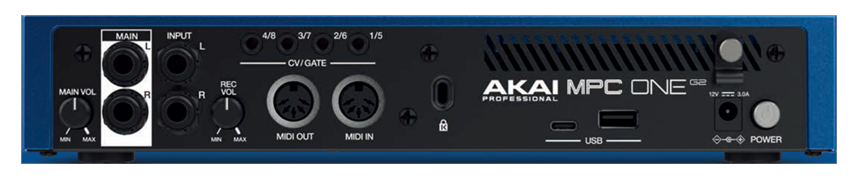
| Line Inputs 1-2 (1 Stereo Pair) | 2x Balanced 1/4" (6.35mm) TRS |
| Line Outputs 1-2 (1 Stereo Pair) | 2x Impedance-Balanced 1/4" (6.35mm) TRS |
| Headphone Output | 1x 1/8" (3.5mm) |
| CV/Gate Outputs | 4x Stereo 1/8" (3.5mm) - 8 CV's in total |
| MIDI Input | 1x 5-pin MIDI |
| MIDI Output | 1x 5-pin MIDI |
What power supply does it use?
The MPC One G2 operates on a 12 V, 3 A, center-positive power supply, which is included.
How many Pads, Knobs & buttons are there on the MPC One G2?
- 4x Q-Links with performance-control OLEDs for visual feedback
- 1x Main Volume Knob
- 1x Encoder
- 16x MPC Pads
- 31x Various button controls
What is impedance-balanced outputs?
Impedance-balanced outputs, which are utilized in professional audio, convey signals over balanced lines to reduce noise. By maintaining equal impedance across both signal lines in relation to ground, they facilitate common-mode noise cancellation at the receiving side. This results in strong noise rejection and ensures compatibility with both balanced and unbalanced inputs, making them perfect for XLR or TRS cables.
Are MPE keyboards compatible with One G2?
MPE keyboards are not compatible with the MPC One G2.
Audio-Interface
How do I install the MPC One G2 Audio Driver?
To install the audio driver, you must open the inMusic Software Center application, which can be obtained from your inMusic Profile. Select My Hardware, click on MPC One G2, and then scroll down to locate the MPC One G2 Driver.
How many multiple outputs am I able to send out?
24 channels of audio via USB-C.
How can I send multiple outputs from my MPC One G2 to my DAW?
- Make sure that the MPC One G2 Audio driver is properly installed and connected via USB-C.
- On the MPC One G2, navigate to the Channel Mixer, click on I/O, and set the Audio Out to USB Out 1,2, adjusting the other channels accordingly.
- On your DAW, make sure you have your MPC One G2 Audio Device selected.
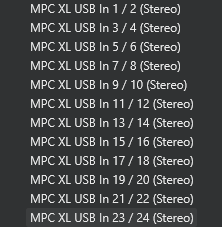
- Create an Audio Track with the Inputs set up for each track. For example, use MPC One G2 USB In 1/2 (Stereo) for Audio Track 1, MPC One Gen 2 USB In 3/4 (Stereo) for Audio Track 2, and so forth.
How can I sample directly from my computer or phone to the MPC One G2?
To sample directly from your computer or your phone, you have 2 methods making sure that your computer or phone is connected via USB-C
- Navigate to Sampler, choose your USB Input, which in this case will be USB Input 1,2 and start recording.
- Create a new Audio Track, set the INPUT to USB Input 1,2, and record in Arrange mode.
How many Input and Outputs can you use with an Audio Interface?
When utilizing a Class-Compliant Audio Interface, the MPC One G2 accommodates up to 32 channels of inputs and outputs.
How many MIDI channels are available through USB-C?
32 channels of bi-directional MIDI.
What is Bi-directional MIDI?
Bi-directional MIDI indicates that the MPC Live III is capable of both transmitting and receiving MIDI data. This means that the device will work as a MIDI controller for your DAW while in standalone mode.
How Many Instances of Instrument Plugins can the MPC One G2 Support in Standalone Mode?
With four times more powerful CPU, the MPC One G2 can run 32 instances of Virtual Instrument Plugins like Hype, Jura, Fabric, and many more simultaneously!
Does the MPC One G2 support sample rates over 44.1kHz when using a class compliant audio interface?
No, it does not.
Factory Content
Included Content
MPC One G2 features an extensive collection featuring our Exclusive Expansion content, delivering over a massive upgrade of drums and melodic loops for inspiration vs the previous model
- Classic Drum Machines
- Percussion Tools
- Acoustic Drum Tools
- Marco Polo - LoFi Boom Vol 1
- F9 Apollo - Retro Drum Kits
- Welcome to ATL Melodics
- Welcome to ATL Songstarters
- Welcome to ATL Kits
- Producer Kit Essentials
Included Plugins
- Hype
- Organ
- Odyssey
- Solina
- Mellotron
- Fabric Select
Does the MPC One G2 come with the Pro Pack or Stems?
No, Stems is not included and can be purchased at MPC Stems Separation | Akai Professional
No, the Pro Pack is not included but can be purchased at a 50% discount.
1. Download and install the inMusic Software Center: Download inMusic Software Center.
2. Sign in using your Akai/inMusic account details
3. Once signed in, click the My Offers tab
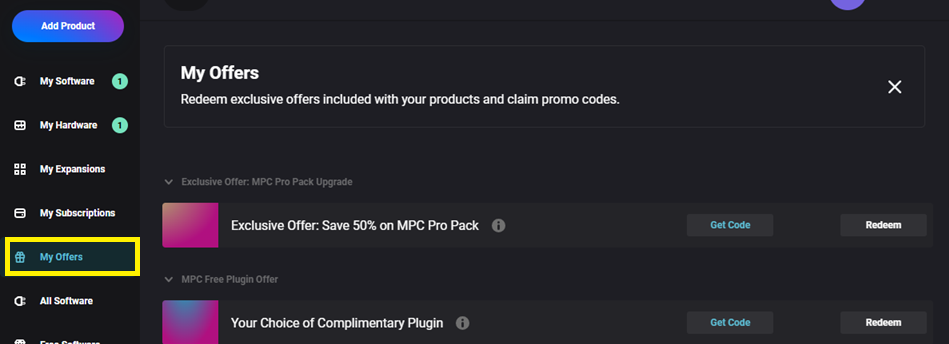
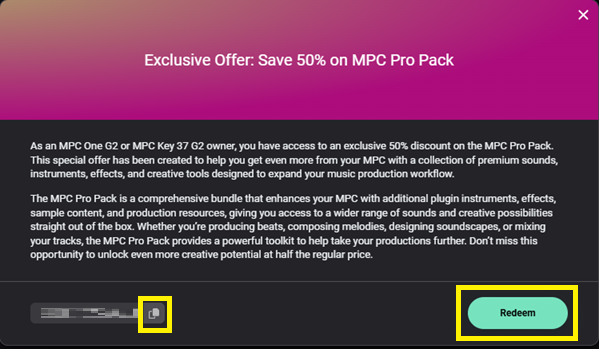
4. Click Get Code
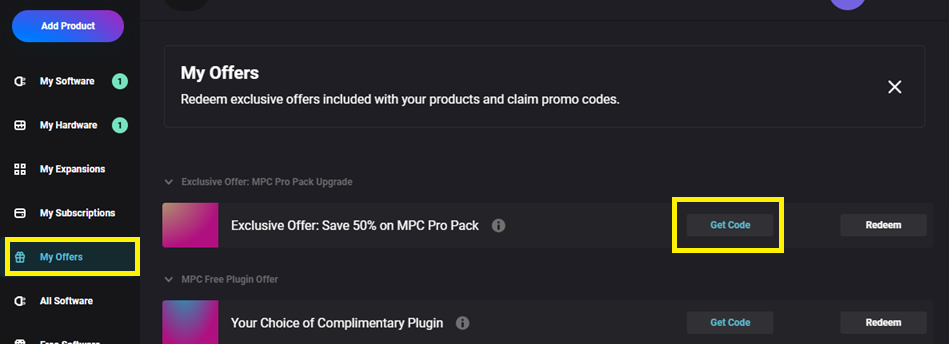
5. Copy the code, then click Redeem
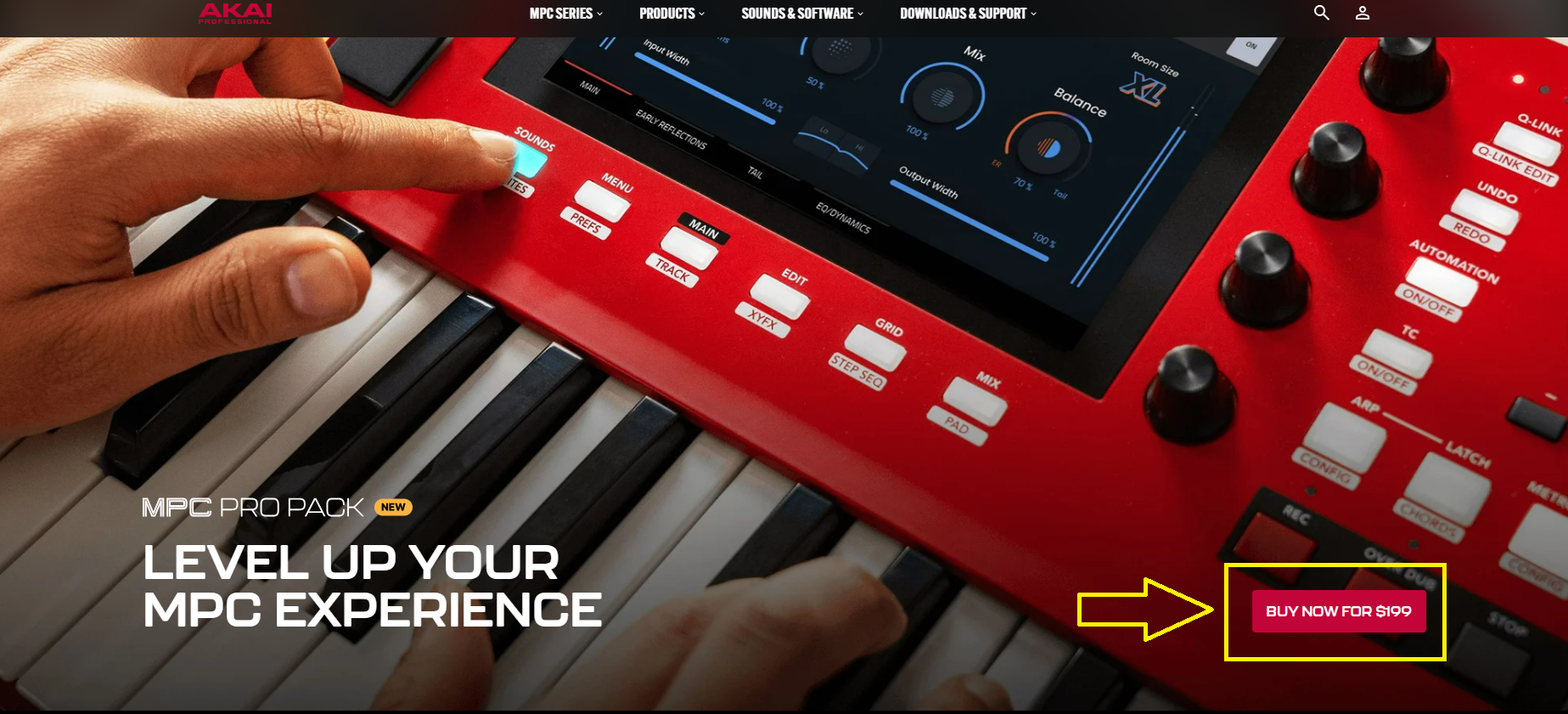
6. You will be brought to the following webpage: MPC Pro Pack | Akai Professional
7. Click the 'BUY' button
8. Paste the code in the Coupon Code box, then click Apply
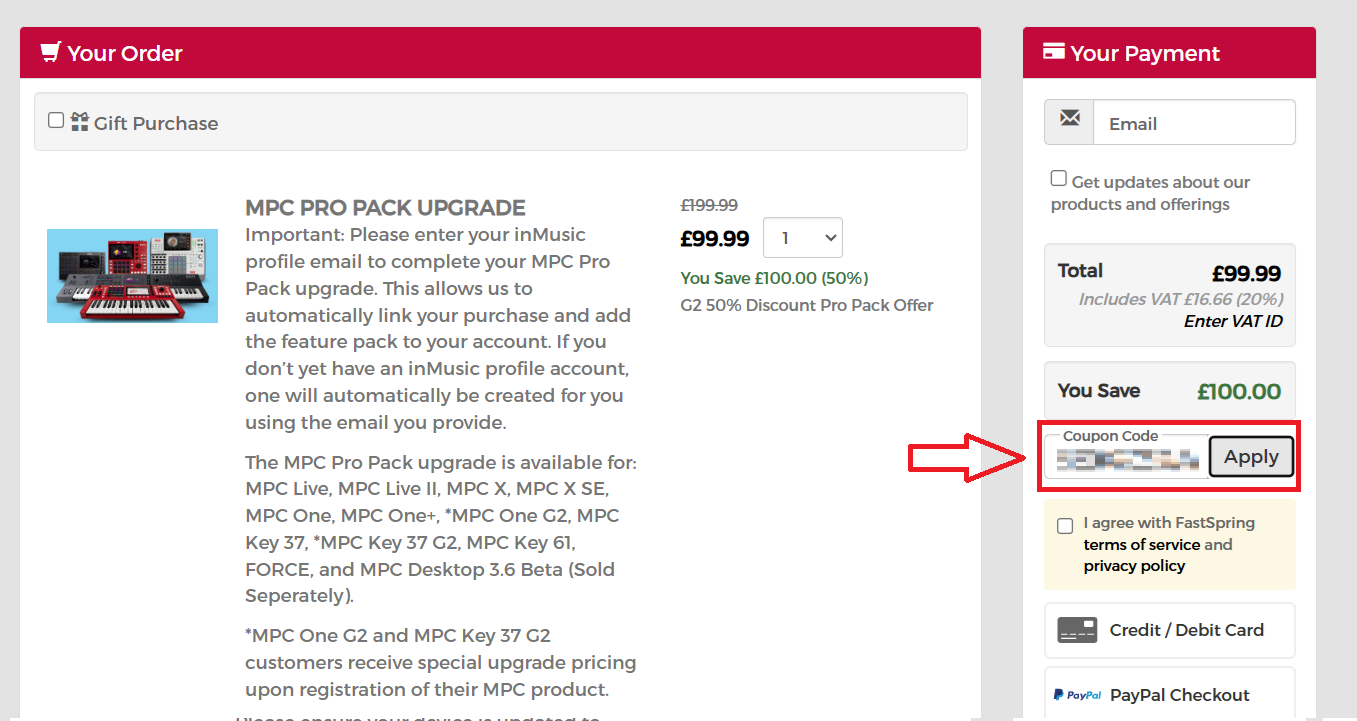
9. Proceed to check out.
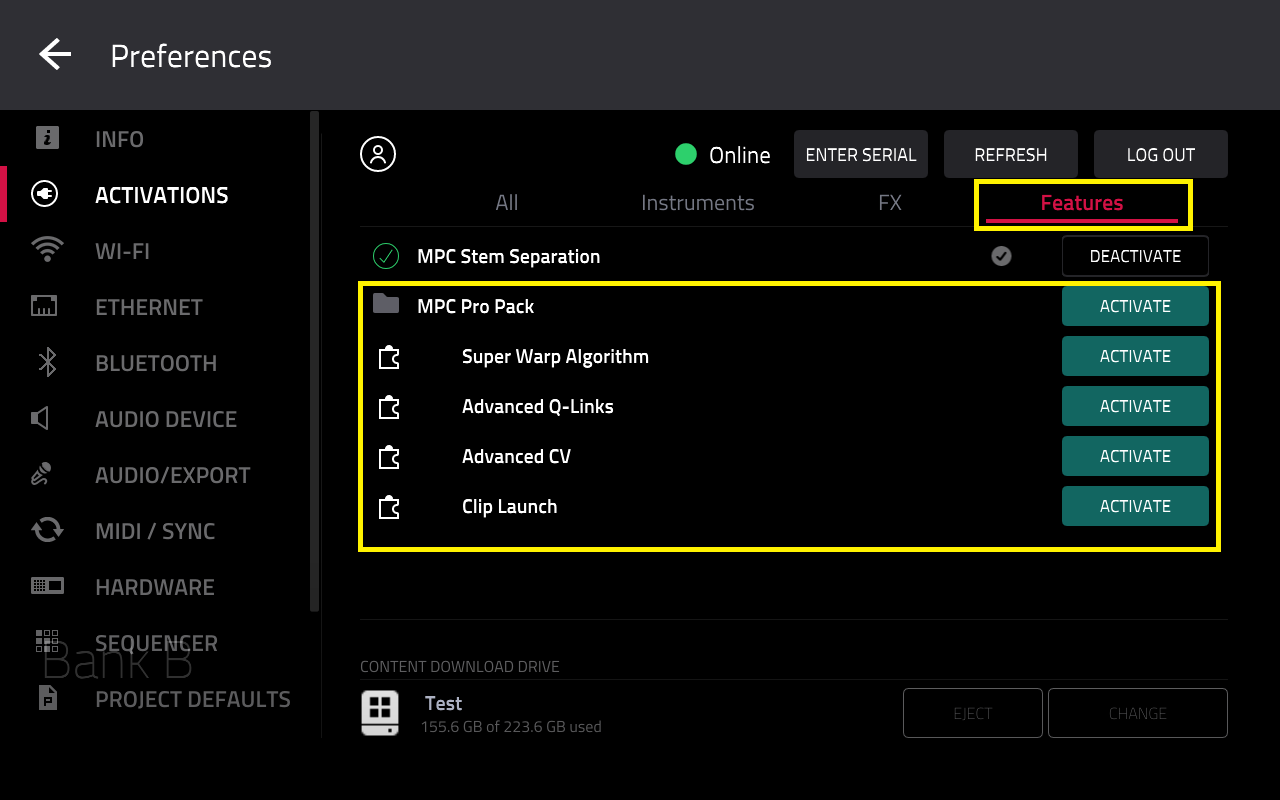
Once purchased, the Pro Pack will be available to activate on your MPC via Menu > Preferences > Activations
How can I send a bug report to Akai?
We want to hear what you have to say; what features you like, dislike, and anywhere improvements can be made. In MPC 3.9.
Kindly utilize this Feedback Form to submit your notes and crash reports for our team to review and take into account for the upcoming update.