MPC standalone consoles allow you to erase notes in real time as the playhead passes over them. This can significantly speed up workflow, providing a convenient alternative to manually editing MIDI notes in the arranger view. Please follow the steps below to try this out:
1. Start a new project and load the default drum kit, or a kit of your choice.
2. Press Record + Play Start to begin recording, then tap in a beat on a pad. In this example, we’ll use Pad 1.
3. Press Stop, then press Play Start to play back your recording.
4. While the sequence is playing, hold down the Erase button and Pad 1. The notes recorded in step 2 will be erased as they pass the playhead. You can freely release and press these buttons together as needed to control which notes are automatically erased during playback.
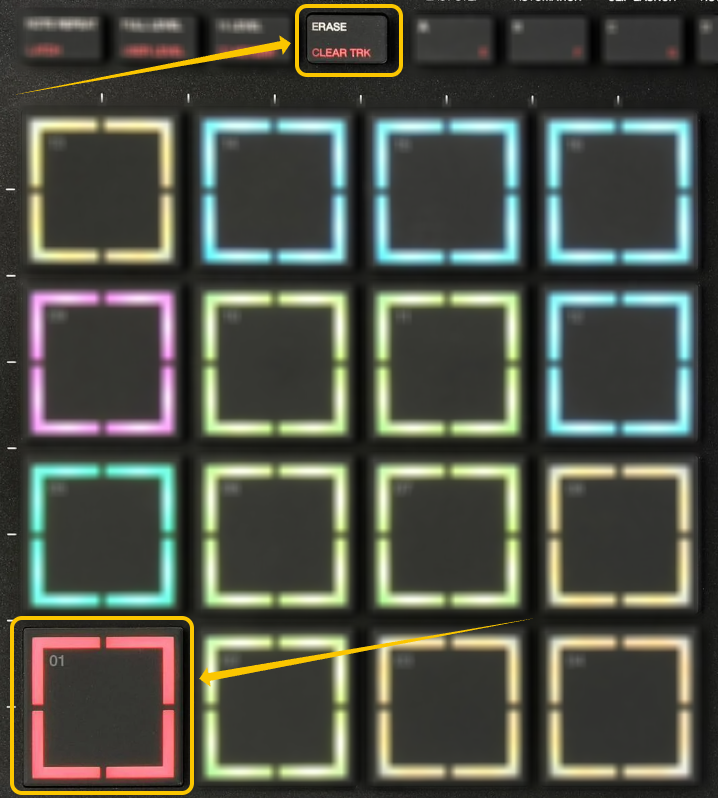
This works with any pad. For example, if your beat is on Pad 6, just hold Erase and Pad 6 to remove its notes as they pass the playhead.