MPC Oscillators are available from the 3.9 firmware update. This guide will provide instructions on how to successfully download the additional content on MPC Standalone and Desktop.
TABLE OF CONTENTS
Installing MPC Oscillator Content - Standalone
1. On your MPC, navigate to Menu > Preferences > Activations
2. Tap the Features tab, you will see MPC Oscillator Content
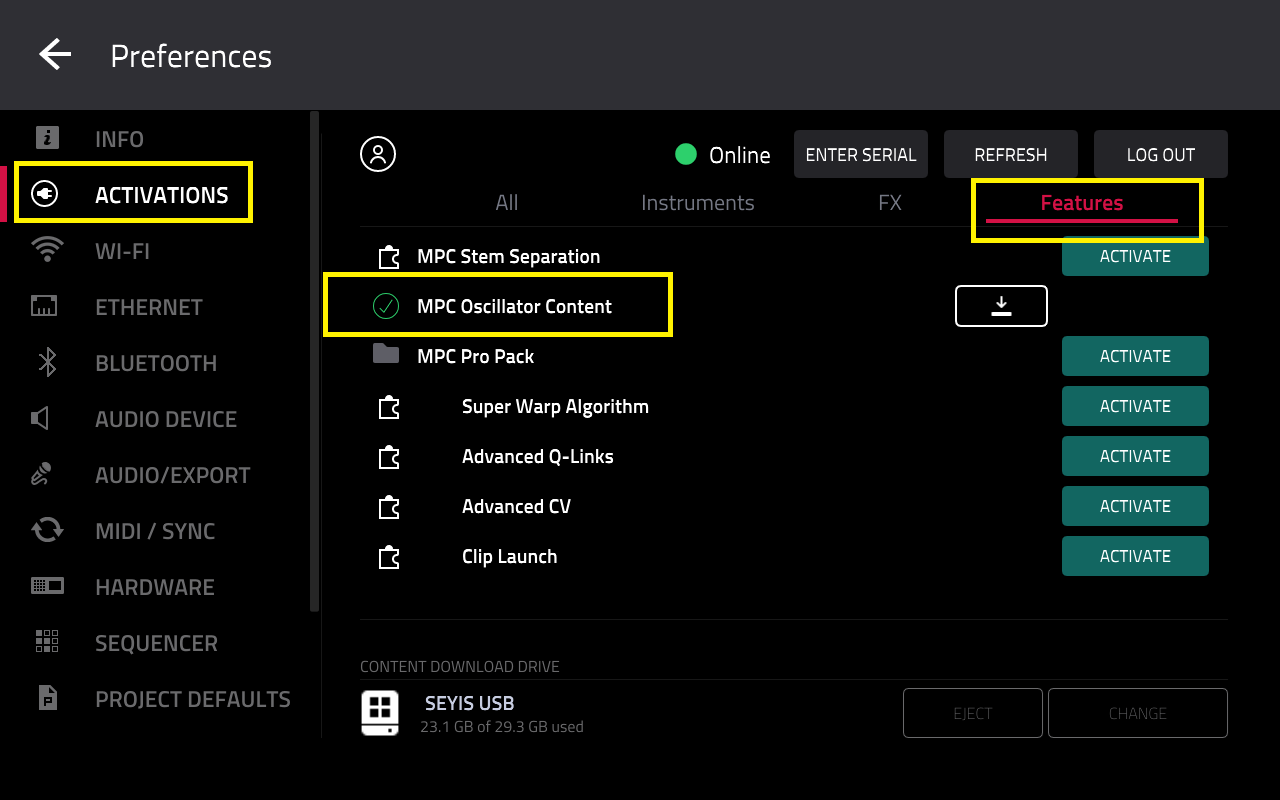
Important: Before downloading the content, ensure you have selected a content download drive

3. Tap the download icon

4. Wait for the download to complete

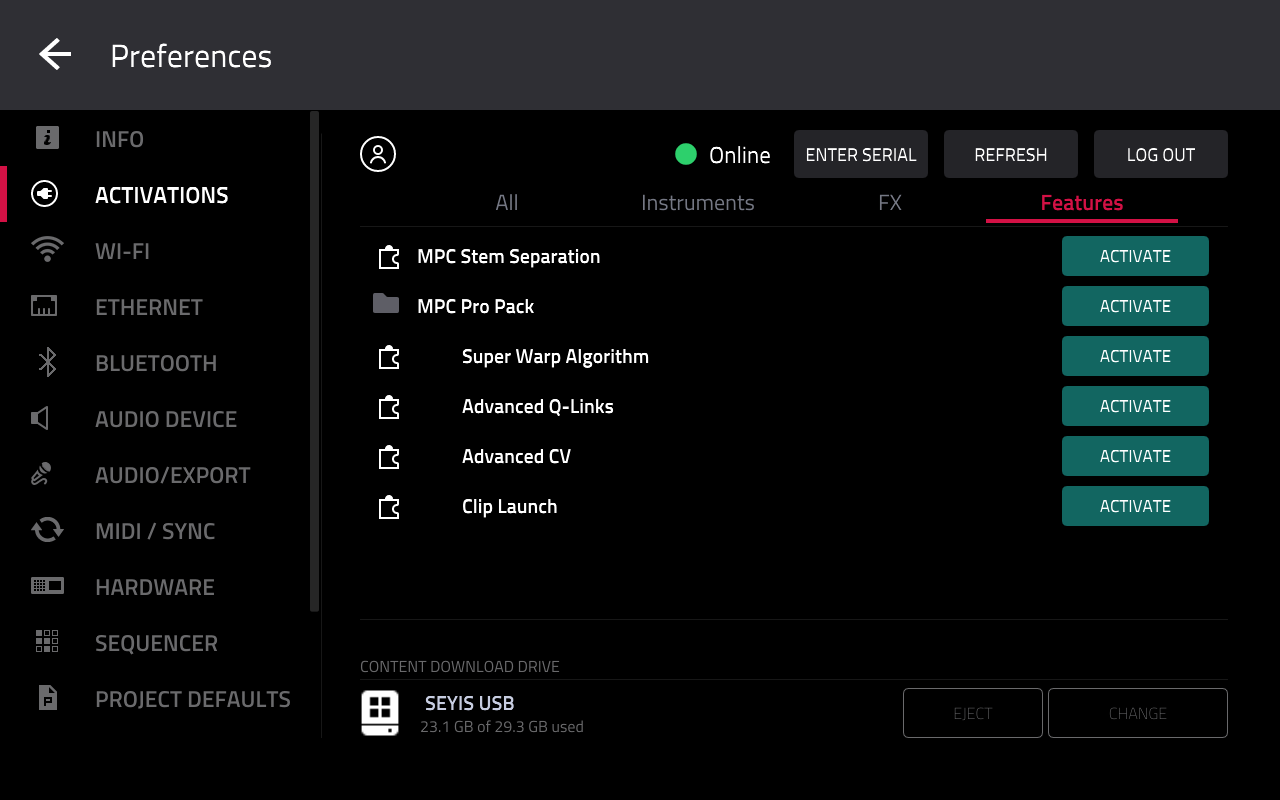
5. Once the MPC Oscillator Content has been it installed, it will disappear form the activations list
Installing MPC Oscillator Content - Desktop
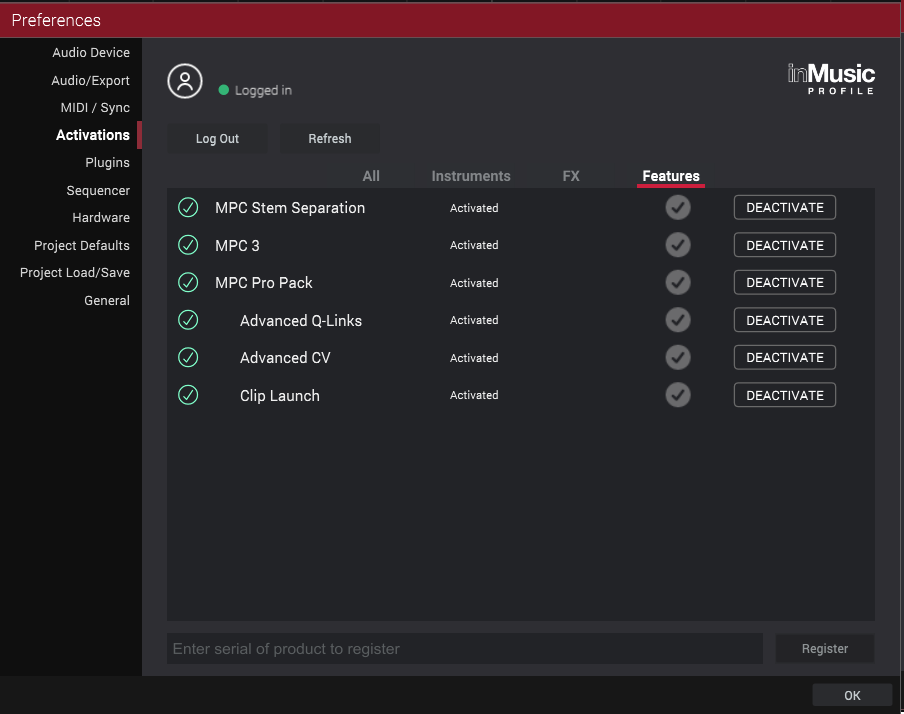
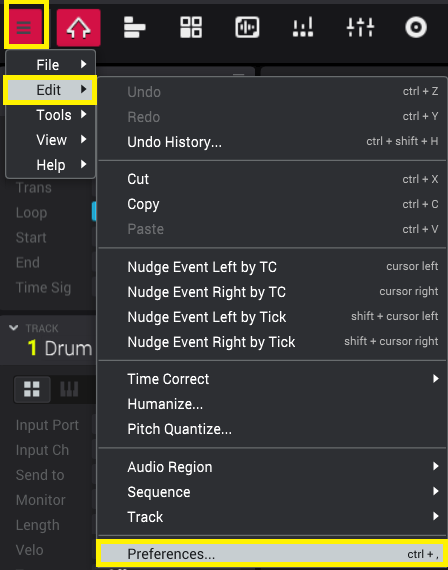
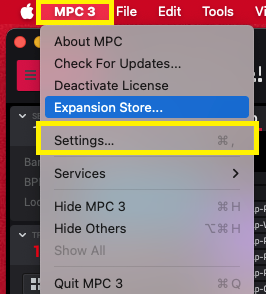
1. In MPC 3 desktop, navigate to the Preferences menu
Windows: Menu > Edit > Preferences...
macOS: MPC 3 > Settings..
2. In the Activations tab, click into the Features tab
You will see MPC Oscillator Content
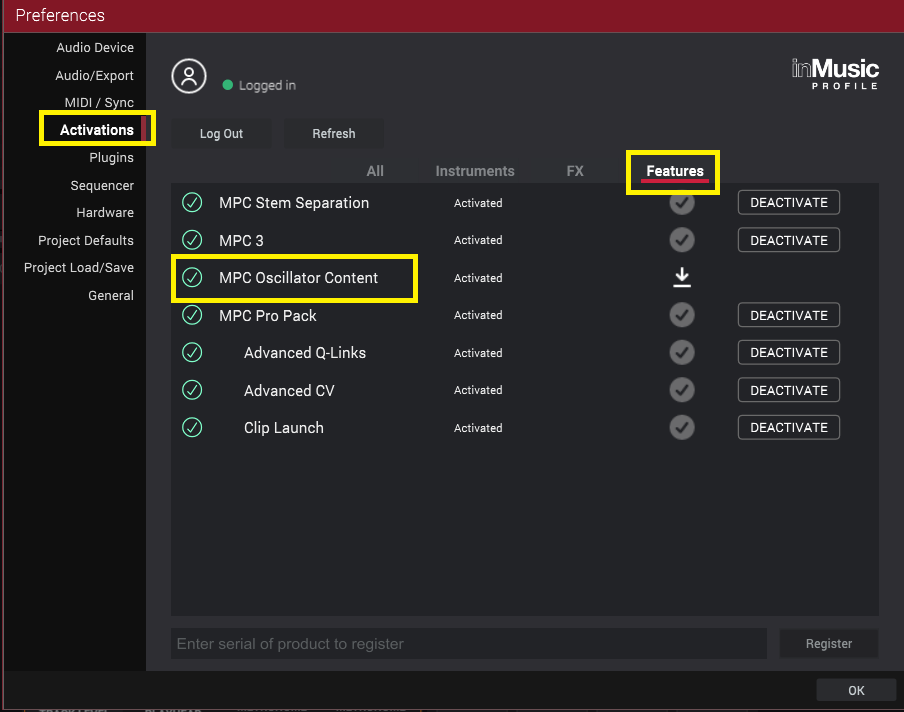
3. Click the download icon

4. Wait for the download to complete

5. Once the MPC Oscillator Content has been it installed, it will disappear form the activations list