In MPC Standalone, each pad supports up to four FX insert slots. As you add effects to shape the pad’s sound, you may eventually reach a point where all available slots are in use and no additional FX can be added.
To work around this, you can use the Flatten Pad feature, which creates a new audio file including both the pad and its applied effects, effectively baking the FX into the sample itself. This will free up all four FX insert slots again.
To try the Flatten Pad feature, please follow the steps below:
1. Strike a pad which already has FX inserts applied to it.
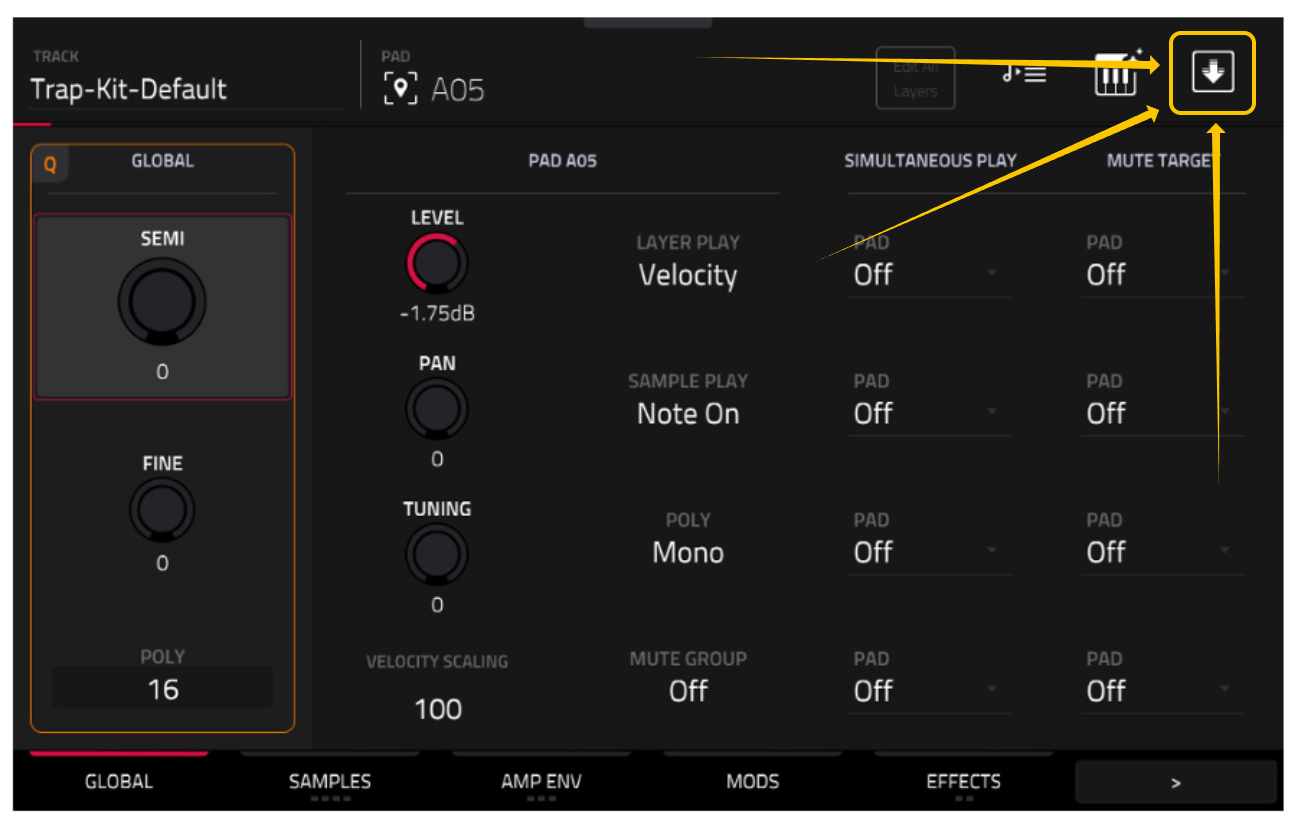
2. Press Menu > Track Edit.
3. In the top‑right corner, tap the box which has a downward‑pointing arrow inside of it.
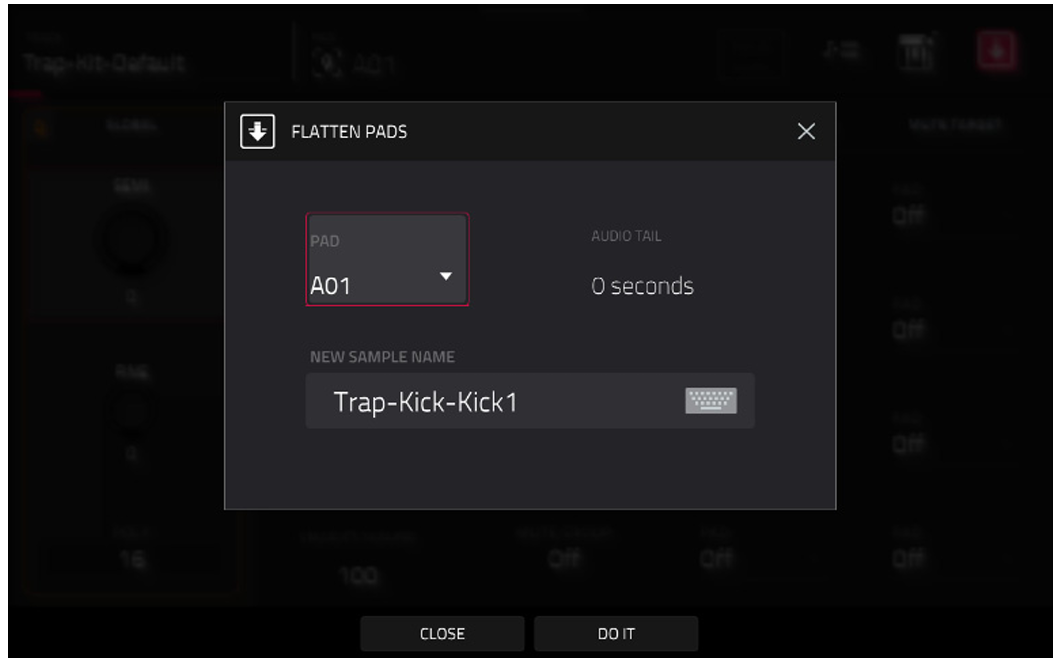
4. The Flatten Pads window will open.
In the Pad field, the pad selected in Step 1 will already be chosen by default.
For Audio Tail, the default setting is recommended, however, you can increase this value if you’d like to add more silence to the end of the sample.
Finally, enter a name if desired and tap DO IT.
5. Strike the pad selected in step 1 again. You’ll hear that the FX have been baked into the sample itself. If you check the pad’s insert slots, you’ll see that all have now been freed up.