The free 'Gen 1' MPC plugin instruments and FX are made available on all MPC Standalone hardware and MPC Desktop after firmware update 2.11.
Please note that these titles will no longer appear in the activations list after upgrading to MPC 3.
This article serves as a guide to understand how to locate Gen 1 plugins on MPC Standalone and MPC Desktop after upgrading to MPC 3.
TABLE OF CONTENTS
MPC 3 - Standalone
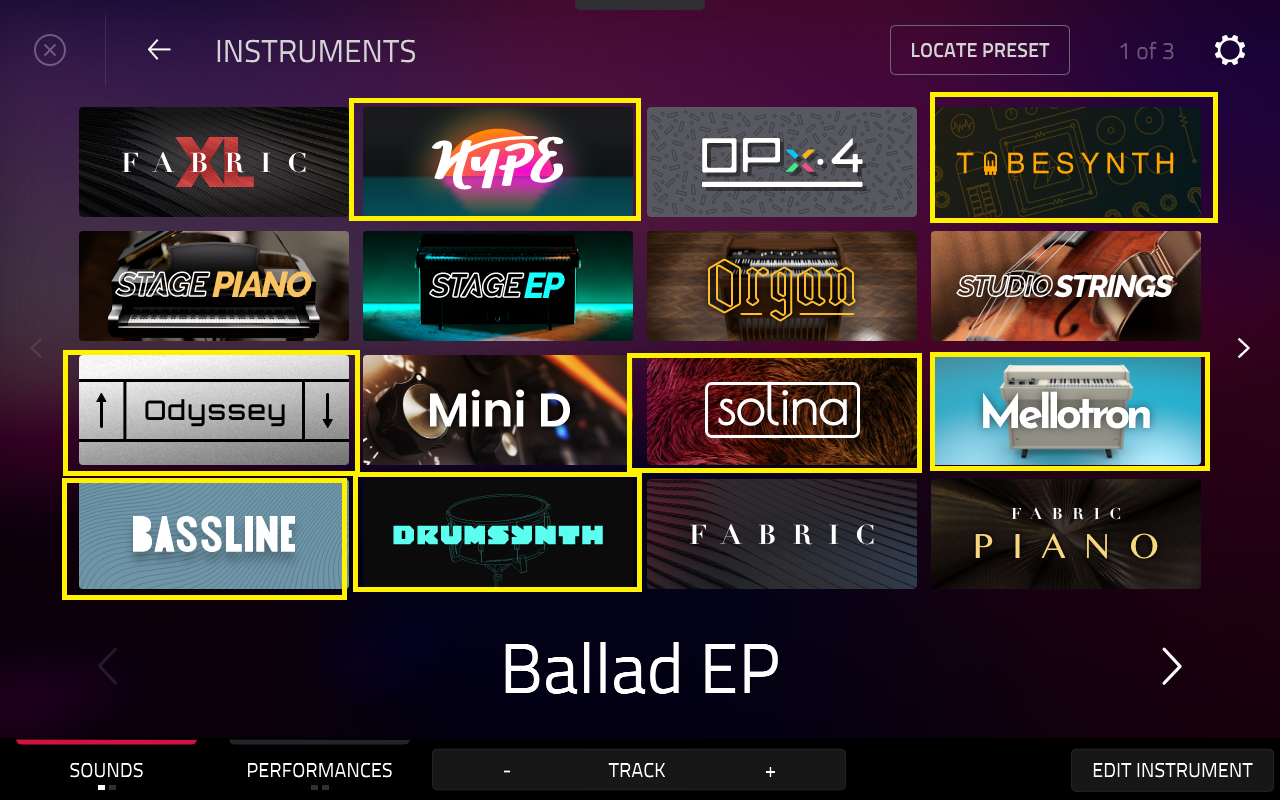
The included plugin instruments are:
- Bassline
- Electric
- Drumsynth Multi
- Hype
- Mellotron
- Odyssey
- Solina
- TubeSynth
These plugins are built into the MPC3 OS and are activated on default/ready to use. They can be found when a plugin track is created.
Locating Gen 1 Plugins in Main Mode
1. Create a new plugin track
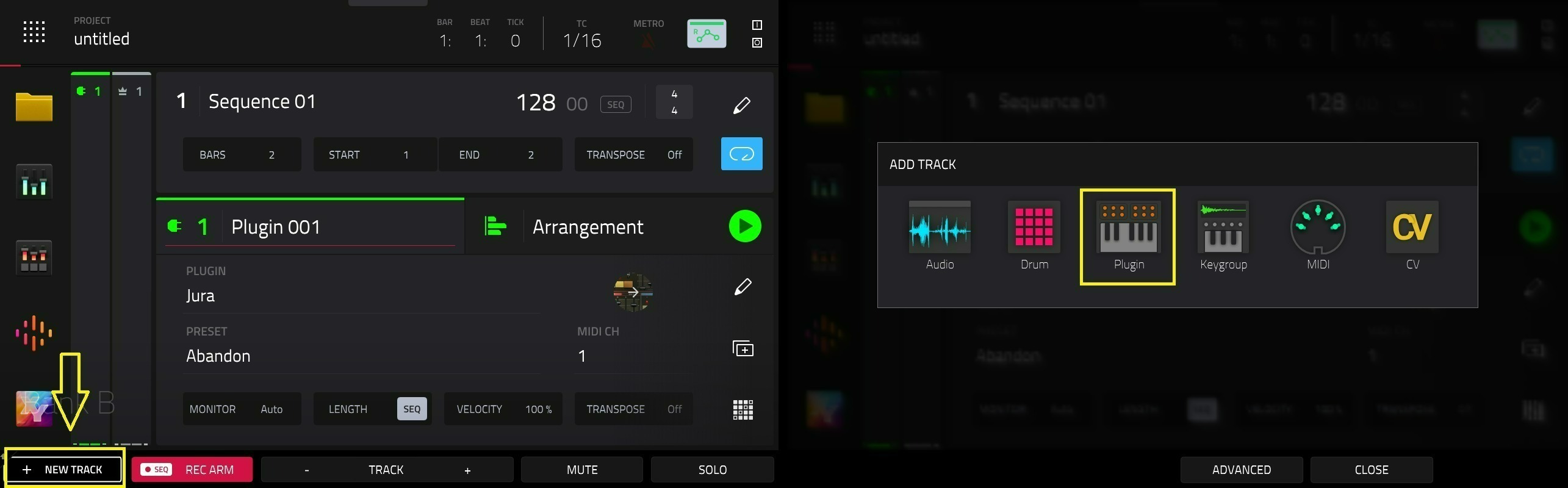
2. Tap the Plugin Field
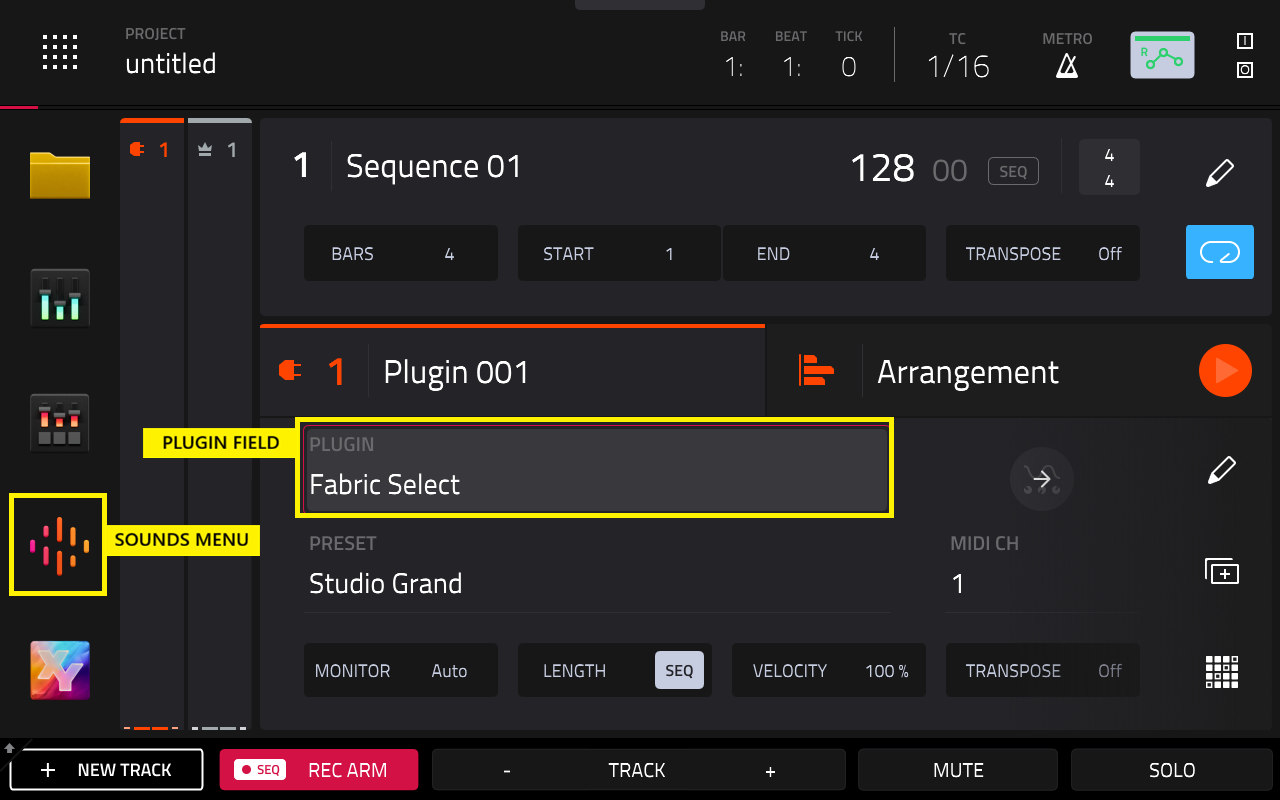
MPC Plugins > AIR Music Technology
- Bassline
- Electric
- Hype
- Mellotron
- Solina
- TubeSynth
MPC Plugins > WayOutWare
- Odyssey
MPC Drum Plugins > AIR Music Technology
- Drumsynth Multi
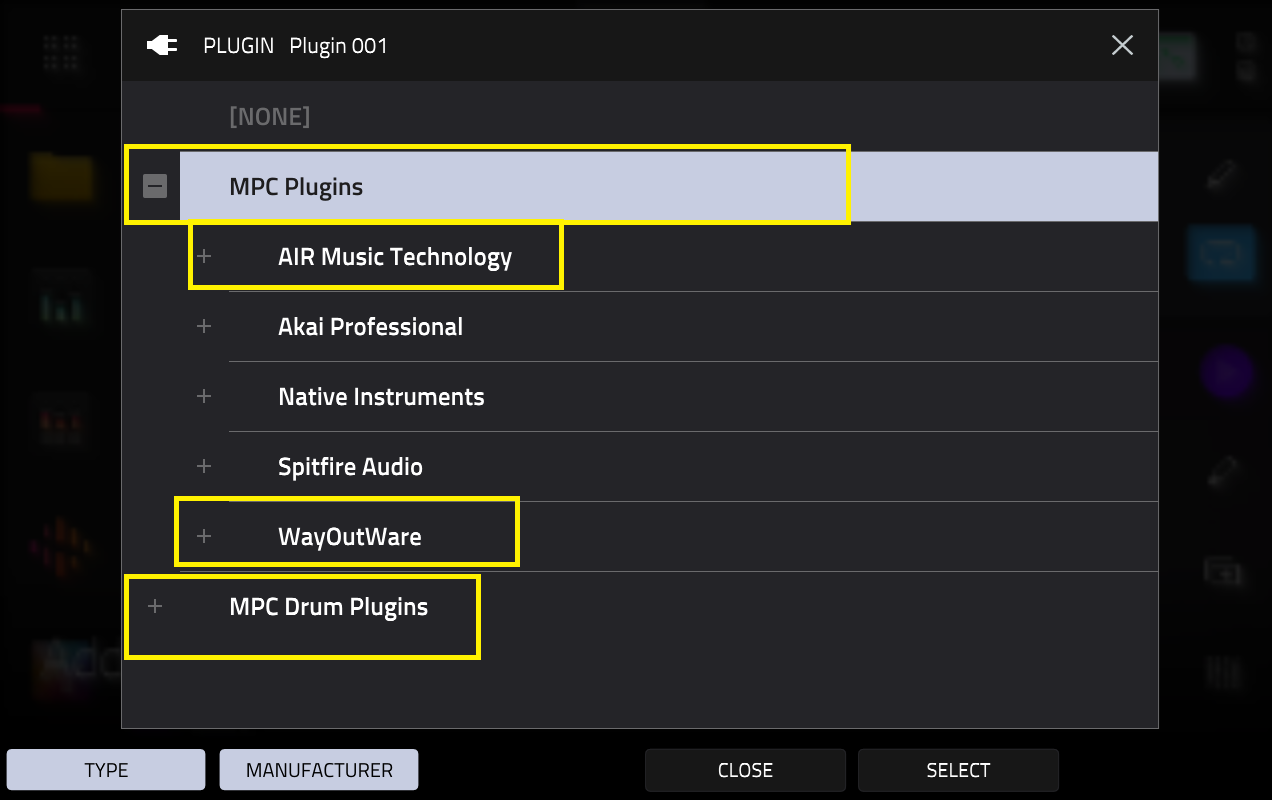
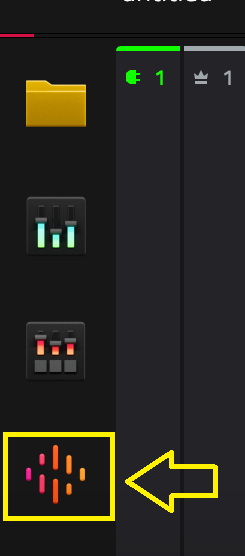
Locating Gen 1 Plugins in Sounds Menu
The included plugins will also appear as normal in the Sounds Menu:
Locating Gen 1 FX
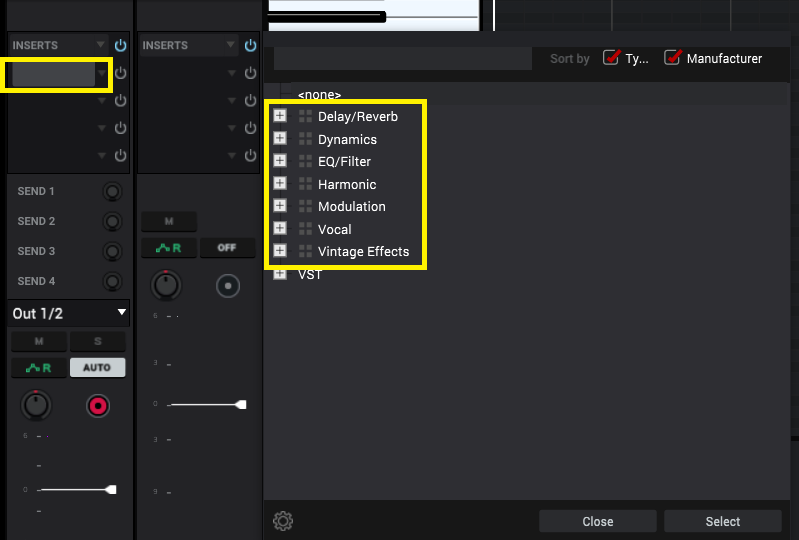
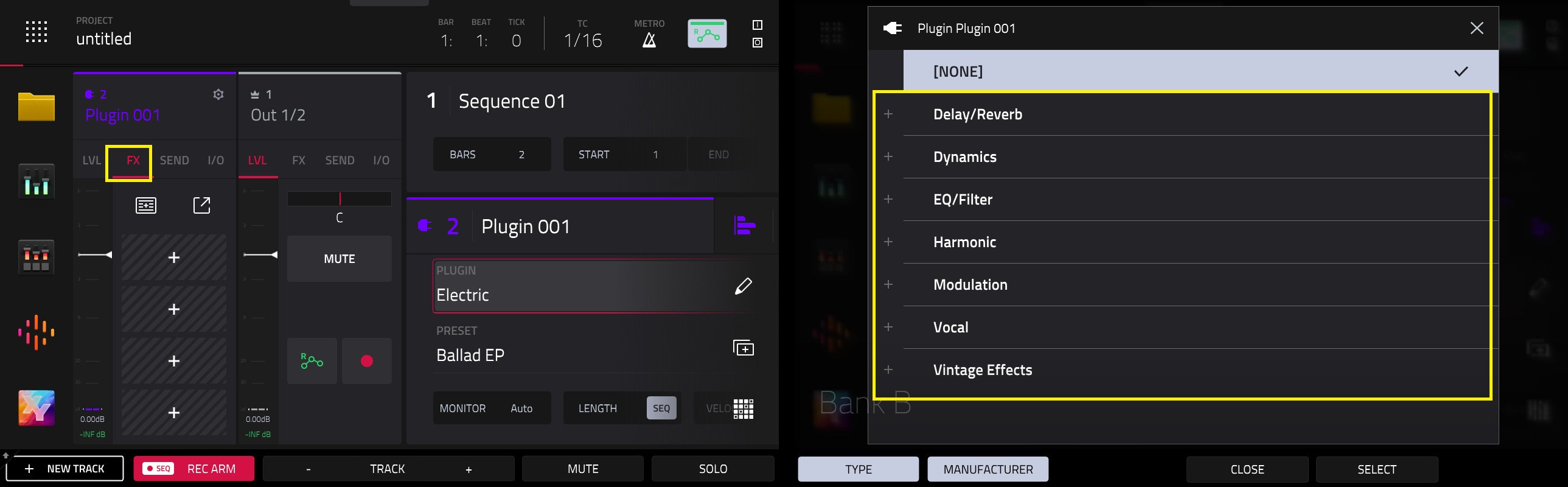
The included plugin FX will appear in their respective category when you load an FX insert on a track:
MPC 3 - Desktop
The included plugin instruments are:
- Bassline
- Electric
- Drumsynth Multi
- Hype
- Mellotron
- Odyssey
- Solina
- TubeSynth
The included plugins are built into MPC 3 desktop and are activated on default/ready to use.
Locating Gen 1 Plugins
1. Create a plugin track
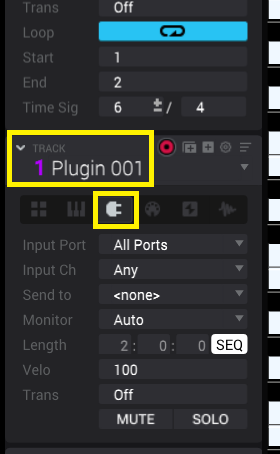
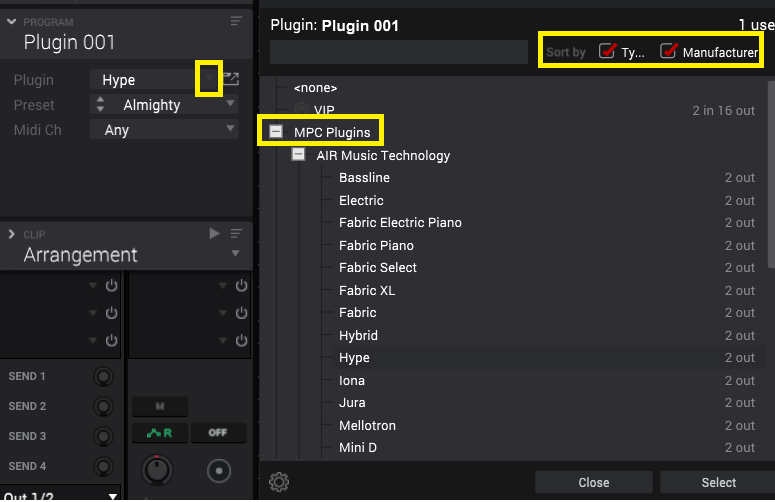
2. Click on Plugin > MPC Plugins
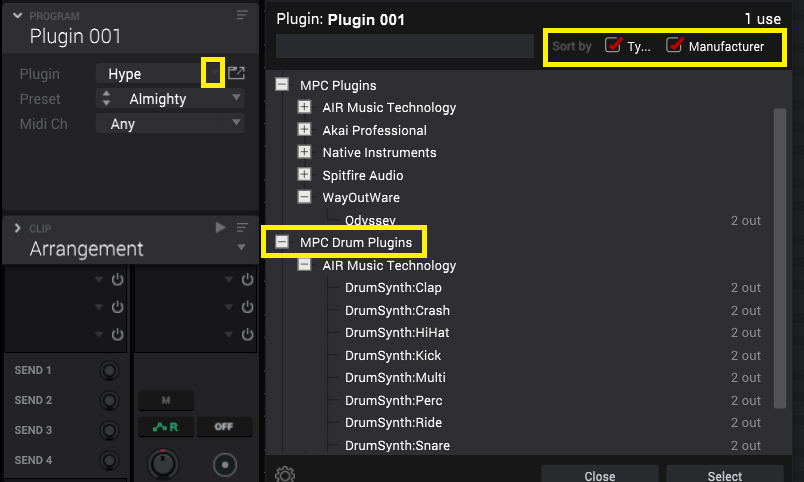
3. The included plugins will appear under their respective category:
MPC Plugins > AIR Music Technology
- Bassline
- Electric
- Hype
- Mellotron
- Solina
- TubeSynth
MPC Plugins > WayOutWare
- Odyssey
MPC Drum Plugins > AIR Music Technology
- Drumsynth Multi
Locating Gen 1 FX
The included plugin FX will appear in their respective category when you load an FX insert on a track: