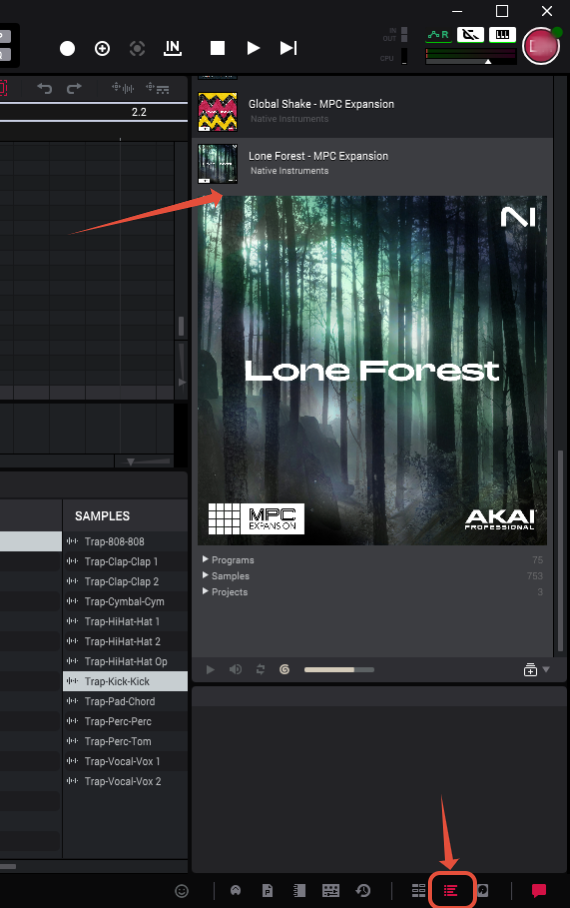
In this guide, we will discuss the steps to install the Native Instruments MPC Expansions on your MPC 3 Desktop Software.
1. Open the inMusic Software Center.
2. Navigate to 'My Expansions' and download your NI MPC Expansion.

3. Click 'Show In Folder'.
4. Open the folder, such as 'Lone Forest - MPC Expansion-1.0.5,' and move 'Lone Forest - MPC Expansion' to the directory for your operating system specified below.
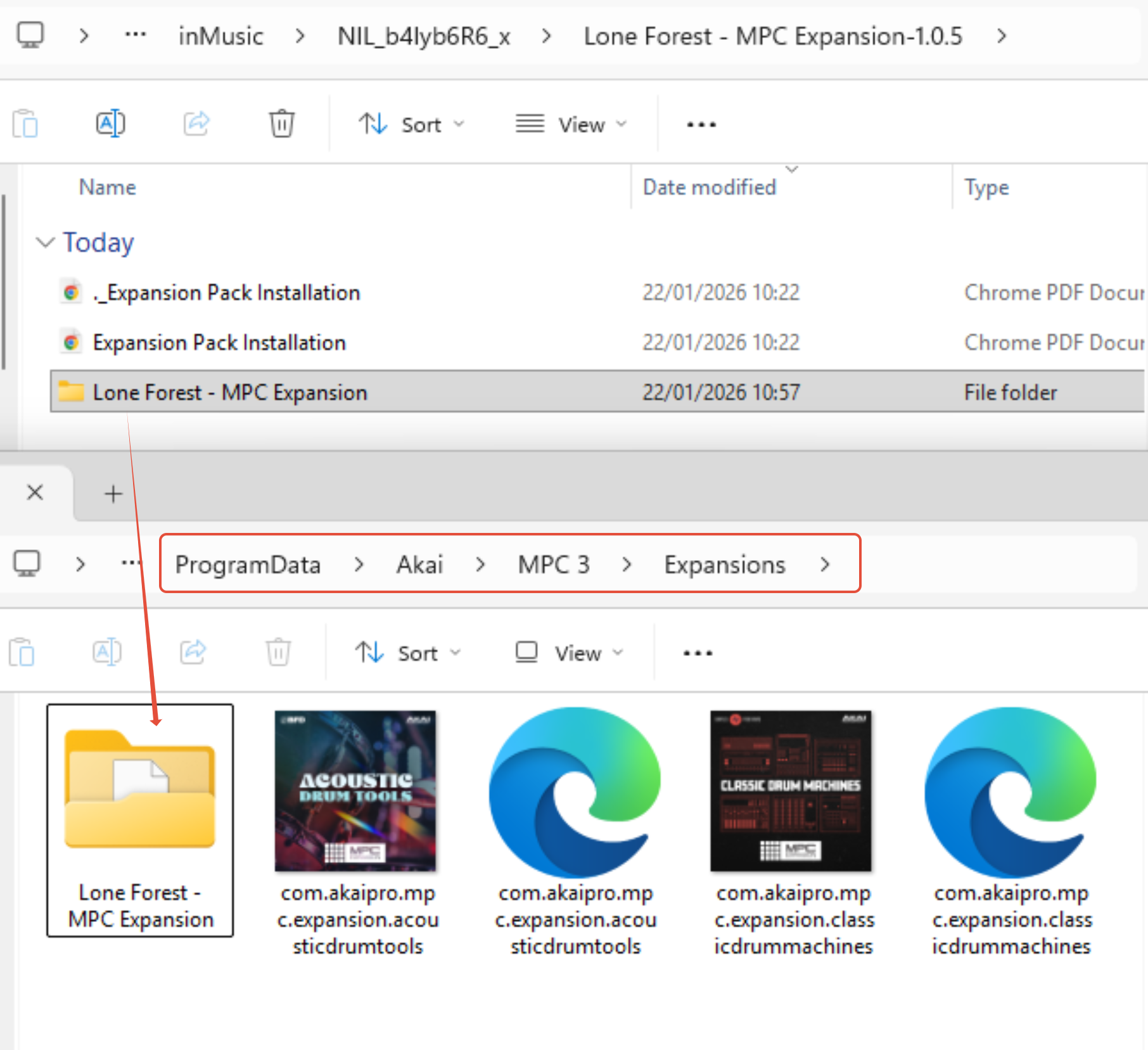
Windows: C:\ProgramData\Akai\MPC 3\Expansions
macOS: Library > Application Support > Akai > MPC 3 > Expansions
To access the library, please open Finder, and then select the 'Go' tab along the top toolbar. Hold the option key to reveal the library in the list of locations.
5. Launch the MPC 3 Desktop Software and see your Expansions.